Don’t Get Hooked: How to Spot and Avoid Phishing Scams
Phishing is a fraudulent practice where individuals are targeted by deceptive communications, often emails, text messages, or websites, designed to trick them into revealing sensitive information such as usernames, passwords, credit card details, or bank account numbers. Identity theft, financial fraud, and unauthorized access to personal and professional accounts can all benefit from this stolen information. The term “phishing” is synonymous with “fishing,” as these scams aim to entice victims with a broad range of deceptive messages.
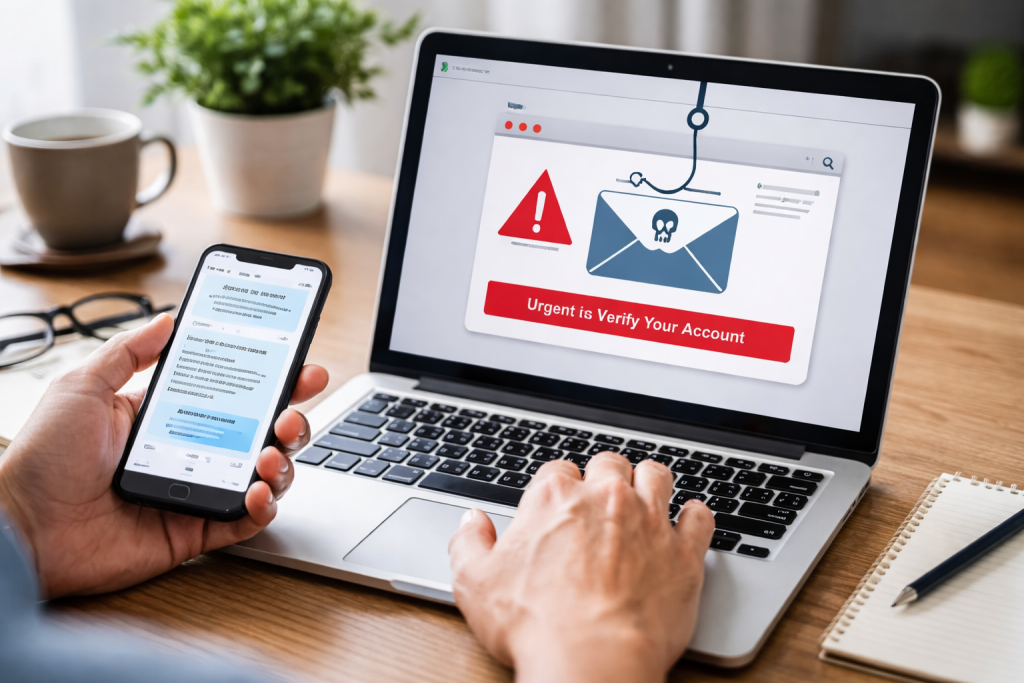
Understanding the Mechanics of Phishing
Carefully crafted to exploit human psychology, phishing attacks leverage trust, urgency, fear, and curiosity. Understanding the underlying mechanisms is the first step in building effective defenses. These scams are not sophisticated technological exploits in their core; rather, they are elaborate social engineering schemes.
The Deceptive Arsenal: Common Phishing Vectors
Phishers employ various methods to reach their targets. Recognizing these vectors allows individuals to be more vigilant.
Email Phishing: The Classic Approach
Email remains the most prevalent vector for phishing attacks. These emails often mimic legitimate communications from well-known organizations.
- Impersonation: Scammers pose as trusted entities. This can range from major corporations like banks, social media platforms, and e-commerce sites to government agencies, known service providers, or even trusted individuals like colleagues or supervisors. They might create email addresses that are very similar to the legitimate ones, perhaps with a minor misspelling or an added character.
- Urgency and Fear: Messages frequently create a sense of immediate danger or loss. Phrases like “Your account has been compromised,” “Immediate action required,” or “Your subscription will expire” are common. This pressure is designed to bypass critical thinking and prompt a hasty response, such as clicking a malicious link or downloading an infected attachment.
- Appeals to Greed or Curiosity: Other emails might offer enticing opportunities, such as winning a lottery you never entered, receiving an unexpected refund, or access to exclusive content. These appeals play on desires for quick gains or satisfy curiosity.
- Malicious Attachments: Some emails contain attachments that, when opened, install malware on the recipient’s device. This malware can then steal information, encrypt files for ransom, or grant remote access to the attacker.
- Spoofed Sender Information: While not always perfectly executed, the “From” field in an email can be forged to appear as if it came from a legitimate source. However, a careful examination of the full email header can often reveal the discrepancy.
Smishing: Phishing via Text Messages
Smishing, or SMS phishing, uses text messages (SMS) to deliver malicious links or prompts. As people tend to be less attentive to text messages than emails, smishing can be particularly effective.
- Similar Tactics to Email: Smishing attacks often employ the same psychological triggers: urgency, fear, and the promise of rewards.
- Shortened URLs: To circumvent character limits and obscure the true destination, smishing messages frequently use URL shorteners. These can disguise a malicious web address as a legitimate-looking link.
- Requests for Immediate Action: Texts might claim there’s an issue with a mobile account, a package delivery, or a bank transaction, urging the recipient to click a link to resolve it.
Vishing: Phishing Over the Phone
Vishing, or voice phishing, involves phone calls from scammers who impersonate legitimate entities. This can involve automated robocalls or live callers.
- Caller ID Spoofing: Scammers can manipulate caller ID to display a legitimate phone number, making the call appear authentic.
- Pretending to be Authority Figures: Attackers might impersonate representatives from the IRS, Social Security Administration, or local law enforcement, claiming you owe money or are under investigation.
- Exploiting Trust and Fear: The conversational nature of phone calls can be used to build rapport or instill fear. They might request personal information directly over the phone or instruct you to install remote access software to “fix” a non-existent problem.
Other Emerging Vectors
As technology evolves, so do phishing methods.
- Social Media Phishing: Scammers use direct messages, fake profiles, or compromised accounts on platforms like Facebook, Instagram, and LinkedIn to spread malicious links or solicit information.
- QR Code Phishing (Quishing): Malicious QR codes can be placed in public spaces or embedded in digital content. When scanned, they can lead to phishing websites or trigger malicious downloads.
Recognizing the Red Flags: How to Spot a Phishing Attempt
Developing a keen eye for detail is your strongest defense against phishing. Just as a fisherman checks their bait and line for irregularities, you must examine the communication for warning signs.
Examining the sender’s information is the first line of defense.
The source of the communication is a crucial indicator.
Scrutinizing the Email Address or Phone Number
This is often the most straightforward tell.
- Misspellings and Odd Domains: Legitimate organizations typically avoid generic email providers (like
@gmail.comor@yahoo.com) for official communications. Look for subtle misspellings in the domain name (e.g.,amaz0n.cominstead ofamazon.com) or unusual top-level domains (TLDs). - Inconsistent Sender Names: The displayed sender name might be “Apple Support,” but the actual email address could be something entirely different and suspicious. Always check the full email address.
- Unusual Phone Numbers: Be wary of calls from unfamiliar or international numbers if the purported organization typically uses local or toll-free numbers.
Checking the Greeting and Content: Is It Personal or Generic?
Phishing messages often lack personalization or use generic greetings.
- Generic Salutations: Instead of addressing you by name (e.g., “Dear John Smith”), phishers often use vague greetings like “Dear Customer,” “Dear User,” or “Valued Member.” This is because they may not have your specific name, or they are sending the message en masse.
- Plausible Yet Implausible Scenarios: While the scenario presented might sound believable at first glance, a second look could reveal inconsistencies or facts that don’t align with your known interactions with the purported organization.
Analyzing the Links and Attachments: The Trojan Horses
These are the conduits through which phishers deliver their payload.
Hovering Over Links: Unveiling the True Destination
Before clicking any link, hover your mouse cursor over it (on a computer) or long-press it (on a mobile device, though this may trigger the link).
- Hover-Over Previews: This action will display the actual URL the link directs to, usually in the bottom corner of your browser window or an on-screen indicator. Does it match the stated destination?
- Suspicious URLs: Look for variations in the domain name, extra subdomains, or links that lead to completely unrelated websites. For example, a link supposedly for your bank might lead to a site ending in
.bizor.infowith a long string of random characters.
Approaching Attachments with Caution
Attachments are a common delivery mechanism for malware.
- Unexpected Attachments: Do not open an attachment if you were not expecting it, especially from an unknown sender.
- Suspicious File Types: Be cautious of executable files (like .exe), script files (like .bat), or archives (like .zip) if they are unexpected or from an untrusted source. Phishers often disguise malware within seemingly innocuous documents.
Evaluating the Language and Tone: The Subtle Clues
The way a message is written can also betray its fraudulent nature.
- Grammar and Spelling Errors: While some phishing attempts are sophisticated, many contain noticeable grammatical errors, poor sentence structure, or awkward phrasing. Legitimate organizations usually have professional proofreaders.
- Excessive Urgency or Threatening Language: As mentioned, a persistent sense of impending doom or a demand for immediate, unquestioning action is a hallmark of phishing.
- Requests for Sensitive Information: Legitimate companies will almost never ask you to provide passwords, credit card numbers, or Social Security numbers via email or text message. They might direct you to their secure website to log in, but they won’t request the information directly in the communication.
Safeguarding Your Digital Identity: Proactive Defense Strategies
Prevention is always better than cure. By implementing robust security practices, you can significantly reduce your vulnerability to phishing attacks. Consider these strategies as bolstering the defenses of your online presence.
Strengthening Your Passwords: The First Layer of Security
Strong, unique passwords are the bedrock of online security.
The Power of Complexity and Uniqueness
- Long and Complex Passwords: Aim for passwords that are at least 12–15 characters long and incorporate a mix of uppercase and lowercase letters, numbers, and symbols.
- Avoid Common Patterns: Do not use easily guessed information like birthdays, names, or common dictionary words.
- Unique Passwords for Each Account: This is crucial. If one account is compromised, other accounts remain safe. A password manager can greatly simplify this.
The Role of Multi-Factor Authentication (MFA)
MFA adds an extra layer of security, making it much harder for attackers to gain access even if they have your password.
- What is MFA?: It requires users to provide two or more verification factors to gain access to an account. This typically includes something you know (a password), something you have (a phone or security key), or something you are (biometrics).
- Enable MFA Wherever Possible: Activate MFA on all your online accounts, especially for financial, email, and social media platforms. This type of authentication acts as a crucial second gate for any potential intruder.
Keeping Software Updated: Patching the Holes
Outdated software can have vulnerabilities that phishers exploit.
- Operating System Updates: Ensure your Windows, macOS, iOS, and Android operating systems are running the latest versions. These updates often include security patches that fix known exploits.
- Browser and Application Updates: Similarly, keep your web browsers (Chrome, Firefox, Safari, Edge) and other applications (e.g., Adobe Reader, Microsoft Office) updated.
- Enable Automatic Updates: Where available, enable automatic updates to ensure you’re always protected by the latest security measures without manual intervention.
Employing Security Software: Your Digital Watchdogs
Antivirus and anti-malware software can act as your first line of automated defense.
Antivirus and Anti-Malware Solutions
- Install Reputable Software: Use well-regarded antivirus and anti-malware programs from trusted vendors.
- Keep Definitions Updated: Ensure your security software’s virus definitions are regularly updated. This allows it to detect the latest threats.
- Perform Regular Scans: Schedule regular full system scans to detect and remove any potential threats that may have slipped through.
Email and Browser Security Features
- Spam Filters: Most email providers offer spam filters. Ensure they are enabled and configured to block unwanted messages. You may need to train these filters by marking suspicious emails as spam.
- Browser Security Settings: Modern web browsers have built-in security features, such as phishing and malware protection. Ensure these are enabled.
Responding to a Suspected Phishing Attempt: What to Do When You’re Targeted
Even with the best defenses, you might encounter a phishing attempt. Knowing how to react can mitigate damage.
When in Doubt, Do Not Engage
The safest approach is often to disengage.
The Principle of “When in Doubt, Throw It Out”
- Do Not Click, Reply, or Download: If you suspect a message is a phishing attempt, do not click any links, download any attachments, or reply to the sender. Any interaction can confirm your email address is active or provide attackers with information.
- Navigate Directly: If a message urges you to check an account or update information with a specific company, do not use the provided link. Instead, open your web browser and manually type the company’s official website address or use a bookmark. Log in and check your account from there.
Reporting Suspicious Communications: Contributing to Collective Security
Reporting phishing attempts helps service providers and authorities combat these threats.
How to Report Phishing
- Report to Your Email Provider: Most email services have a “Report Phishing” or “Mark as Spam” option. This helps them improve their filters.
- Report to the Targeted Organization: If the phishing attempt impersonates a specific company (e.g., a bank, a social media platform), report it directly to that company’s security department. They often have a dedicated email address for reporting such incidents.
- Report to Government Agencies: Depending on your location, there may be government agencies or cybersecurity organizations where you can report phishing scams. For instance, in the United States, the Federal Trade Commission (FTC) accepts such reports.
Protecting Others: The Power of Sharing Information
If you’ve encountered a sophisticated phishing attempt, informing friends, family, or colleagues can help them avoid similar traps. Awareness is a shared defense.
Advanced tactics are essential for staying ahead of the curve.
| Metrics | Data |
|---|---|
| Number of Phishing Emails | 500,000 |
| Percentage of Successful Phishing Attempts | 30% |
| Common Phishing Techniques | Deceptive URLs, Spoofed Websites, Email Spoofing |
| Impact of Phishing Attacks | Financial Loss, Data Breach, Identity Theft |
The phishing landscape is constantly evolving. Staying informed about new trends and techniques is crucial for long-term protection.
The Human Element: the Often-Overlooked Vulnerability
Although technology plays a significant role, human error often represents the most vulnerable aspect.
Education and Awareness as a Continuous Process
- Regular Training: Organizations should provide regular cybersecurity awareness training to employees. Individuals should make it a habit to stay informed about new phishing tactics.
- The “What If” Scenario: Encourage a mindset of critical evaluation. Before acting on a request, especially one that seems unusual or urgent, ask yourself, “What if this is a scam?”
Understanding Social Engineering: The Psychology of Deception
Phishing exemplifies social engineering, employing psychological manipulation to deceive individuals.
Key Ploys Used by Scammers
- Authority: Scammers impersonate authority figures (police, government officials) to command respect and enforce compliance.
- Scarcity: Creating a sense of limited availability or time pressure (e.g., “this offer expires in 24 hours”) drives impulsive decisions.
- Reciprocity: Offering something of perceived value (a free gift or information) to make the victim feel indebted and more likely to comply with a later request.
- Commitment and Consistency: Encouraging small commitments that lead to larger ones, making it harder for the victim to back out.
Keeping Up with Emerging Threats: A Vigilant Stance
- Follow Cybersecurity News: Stay informed about the latest phishing campaigns and common scams by following reputable cybersecurity news sources and blogs.
- Understand New Technologies: As new technologies emerge (e.g., AI-generated voice or video), know how they might be misused for phishing.
- Be Skeptical of Unsolicited Communications: Maintain a healthy dose of skepticism toward any unsolicited communication that asks for personal information or directs you to take immediate action.
By understanding the mechanics, recognizing the red flags, implementing proactive defenses, and staying informed, you can significantly fortify yourself against the persistent threat of phishing. Vigilance and critical thinking are your most potent defenses in the ongoing battle against online fraud.