Efficiency at Your Fingertips: How Time Management Software Can Transform Your Workday
Time management software, often referred to as productivity tools, encompasses a range of digital applications designed to help individuals and teams organize tasks, schedule activities, and track progress. These tools aim to streamline workflows, minimize distractions, and ultimately enhance output by providing a structured approach to managing one’s time. The adoption of such software can be considered an investment in optimizing human capital, allowing individuals to allocate resources more effectively and achieve objectives with greater predictability.
Understanding the Core Functionality of Time Management Software
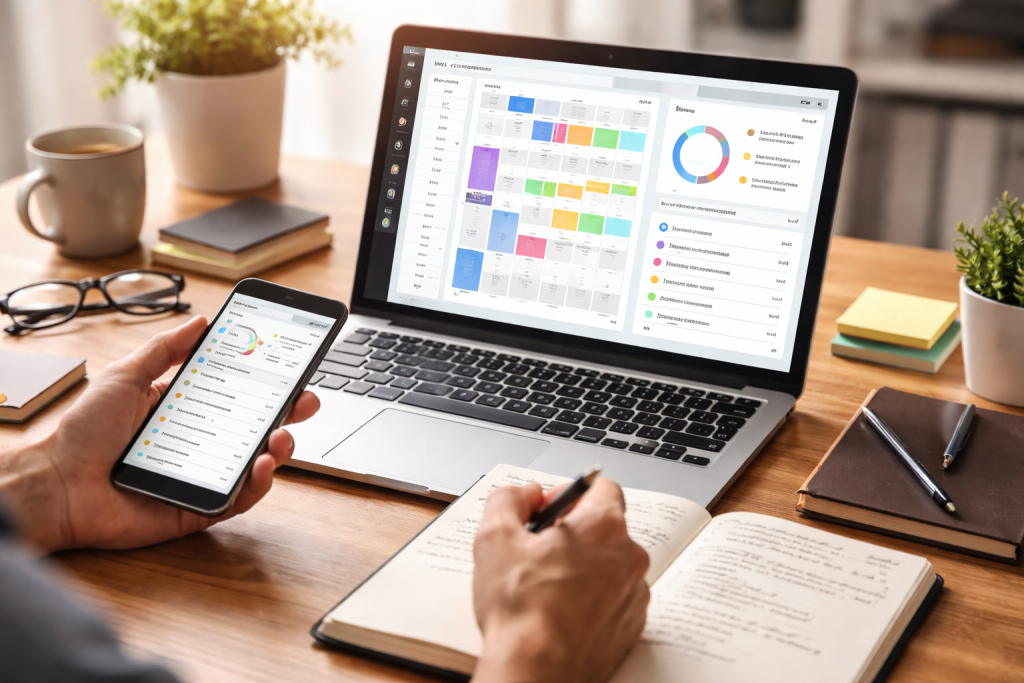
At its heart, time management software serves as a digital assistant, performing the critical function of organizing the chaos of daily tasks and appointments. It provides a centralized hub where users can list, prioritize, and delegate responsibilities. This isn’t about simply creating a to-do list; it’s about building a dynamic framework that guides action and provides visibility into where time is being spent.
Task Management and Prioritization
A fundamental component of time management software is its ability to facilitate effective task management. Users can input individual tasks, assign deadlines, and define associated subtasks. This granular level of detail allows for a breakdown of larger projects into manageable steps, preventing the feeling of being overwhelmed.
Establishing Deadlines and Milestones
The software allows for the precise setting of deadlines, acting as a digital clock that counts down to project completion. Beyond simple deadlines, many platforms enable the establishment of intermediate milestones. These act as smaller victories along the path to a larger goal, providing a sense of progress and allowing for course correction if deviations occur.
Categorization and Tagging
To further refine organization, most time management tools offer categorization and tagging features. Tasks can be sorted by project, client, urgency, or any other relevant criterion. This creates a searchable database of responsibilities, allowing users to quickly filter and focus on what is most pertinent at any given moment. Imagine a library where books are not just on shelves but meticulously indexed and cross-referenced; this is the principle applied to tasks.
Scheduling and Calendar Integration
Beyond task management, time management software excels at scheduling and integrating with existing calendar systems. This ensures that tasks are not only defined but also allocated specific time slots, transforming abstract goals into concrete commitments.
Time Blocking and Appointment Setting
Time blocking is a technique where specific blocks of time are dedicated to particular tasks or types of work. Time management software facilitates this by allowing users to reserve calendar slots for focus work, meetings, or administrative duties. This proactive approach helps to prevent the encroachment of lower-priority activities into critical work periods.
Synchronization with External Calendars
Seamless integration with popular calendar applications, such as Google Calendar or Outlook Calendar, is a standard feature. This ensures that all commitments, whether personal or professional, are reflected in a single, unified view, preventing scheduling conflicts and ensuring that no appointment is missed.
Enhancing Productivity Through Workflow Optimization
The true revolutionary strength of time management software lies in its ability to optimize workflows, moving beyond simple organization to actively improve how work gets done. By identifying bottlenecks and streamlining processes, these tools can unlock significant gains in efficiency.
Project Management Features
For teams and complex projects, robust project management capabilities are essential. The central nervous system for collaborative efforts can be time management software, which ensures everyone aligns and works towards common goals.
Task Assignment and Collaboration Tools
Features such as task assignment, progress tracking, and communication channels enable smooth collaboration within teams. Team members can see who is responsible for what, monitor the status of each task, and communicate directly within the platform, reducing the need for fragmented email chains.
Gantt Charts and Visual Timelines
Many advanced tools incorporate features like Gantt charts and visual timelines. These provide a high-level overview of project schedules, illustrating dependencies between tasks and highlighting critical paths. This visual representation is invaluable for project managers in identifying potential delays and resource allocation issues. Think of it as a blueprint for your project, showing every piece and how it connects.
Automation and Reminders
Automating repetitive tasks and keeping deadlines in mind is crucial for enhancing efficiency. Time management software excels in this area, acting as a vigilant overseer.
Automated Task Creation and Recurring Tasks
By their very nature, certain tasks require regular performance. The software allows for the automation of these recurring tasks, ensuring they are generated and scheduled without manual intervention. This eliminates the mental strain of recalling and entering these repetitive tasks.
Customizable Notifications and Alerts
Users can configure customizable notifications and alerts to ensure that important deadlines or events are not overlooked. These can be set for upcoming deadlines, task assignments, or changes in project status, ensuring timely awareness and enabling proactive responses.
Fostering Focus and Minimizing Distractions
In today’s hyper-connected world, distractions are a constant challenge. Time management software is designed to help users regain control of their attention and dedicate focused effort to critical tasks.
Focus Modes and Time Tracking
Dedicated focus modes within the software can actively block digital distractions, such as notifications from other applications or websites. Coupled with time tracking features, these tools empower users to understand where their time is truly going and identify common sources of interruption.
Pomodoro Technique Integration
Some applications integrate popular productivity techniques like the Pomodoro Technique, which involves working in focused bursts of 25 minutes separated by short breaks. This structured approach can enhance concentration and prevent burnout.
Blocking Distracting Websites and Applications
Advanced tools may offer the functionality to block specific websites or applications identified as major distractions during designated work periods. This creates a digital environment conducive to deep work, allowing users to enter a state of flow more readily.
Performance Analytics and Time Auditing
Understanding the allocation of time is the first step towards improving it. Time management software delivers helpful insights via performance analytics and time auditing.
Identifying Time Sinks
By tracking time spent on different tasks and projects, users can identify “time “sinks”—activities that consume excessive amounts of time with little perceived return. This data-driven approach allows for informed decisions about reallocating resources or modifying workflows.
Measuring Productivity Against Goals
The software can help measure actual time invested against planned time, providing a tangible metric for productivity. This allows for a realistic assessment of progress towards goals and informs future planning. It’s like a financial audit for your time, showing where your investments are yielding the best returns.
Achieving Better Work-Life Balance Through Structure
While often associated with professional life, time management software can have a profound impact on work-life balance. By bringing order to the workday, individuals can create clearer boundaries between professional responsibilities and personal time.
Separating Work and Personal Tasks
The ability to differentiate between work-related and personal tasks within a single platform helps to maintain a clear mental separation. This prevents work from bleeding into personal time and vice versa, promoting a healthier equilibrium.
Setting Boundaries for Work Hours
Many tools allow users to define specific work hours, and the software can then automatically disable notifications or limit access to work-related functions outside of these designated periods. This reinforces work-life boundaries.
Allocating Time for Personal Activities
Just as work tasks are scheduled, time management software can also be used to schedule personal activities, such as exercise, hobbies, or family time. This ensures that these crucial aspects of a balanced life are not neglected.
Reducing Stress and Burnout
A disorganized and overwhelming workload is a significant contributor to stress and burnout. By providing a clear roadmap and a sense of control, time management software can alleviate these pressures.
Gaining a Sense of Accomplishment
Successfully completing tasks and achieving milestones, as tracked by the software, provides a consistent sense of accomplishment. This positive reinforcement can boost morale and reduce feelings of being perpetually behind.
Proactive Problem Solving
When potential issues or delays are identified early through the software’s tracking and visualization, it allows for proactive problem-solving. This prevents small problems from escalating into crises, which can be a major source of stress.
The Future of Time Management: Integration and Intelligence
| Metrics | Results |
|---|---|
| Time Saved | Up to 2 hours per day |
| Tasks Completed | Increased by 30% |
| Project Deadlines Met | Improved by 40% |
| Collaboration Efficiency | Enhanced by 25% |
The evolution of time management software is not static. Continuous advancements in technology are leading to more integrated and intelligent solutions that offer an even deeper level of support for productivity.
AI-Powered Scheduling and Optimization
Artificial intelligence is increasingly being integrated into time management tools to offer more sophisticated scheduling and optimization capabilities. AI can analyze user patterns, predict workload, and suggest the most efficient allocation of time.
Predictive Task Completion Times
AI algorithms can learn from past performance to provide more accurate estimates for task completion times, aiding in more realistic planning and resource allocation.
Automated Rescheduling for Optimal Efficiency
When unexpected events occur, AI can intelligently reschedule tasks to maintain optimal workflow, minimizing disruption and maximizing output. It acts as a proactive pilot, constantly adjusting course to keep the journey smooth.
Seamless Integration with Other Business Tools
The future of these tools points towards even greater integration with other essential business applications, such as customer relationship management (CRM) systems, project management platforms, and communication tools. This creates a unified digital ecosystem where information flows seamlessly.
Centralized Information Hub
By integrating with a suite of business tools, time management software can become the central hub for all project-related information, reducing the need to switch between multiple applications and minimizing the risk of data silos.
Enhanced Project Visibility and Control
This comprehensive integration provides unparalleled visibility into projects and workflows, allowing for more agile decision-making and tighter control over operational efficiency.
In conclusion, time management software, while seemingly a simple organizational tool, offers a comprehensive suite of functionalities that can profoundly transform a workday. From meticulous task management and efficient scheduling to workflow optimization, focus enhancement, and the promotion of work-life balance, these digital assistants empower individuals and teams to navigate the complexities of modern work with greater clarity, control, and ultimately, effectiveness.
FAQs
What is time management software?
Time management software is a tool designed to help individuals and organizations plan, organize, and track their tasks and activities. It typically includes features such as task scheduling, calendar management, time tracking, and collaboration tools.
How can time management software transform your workday?
Time management software can transform your workday by helping you prioritize tasks, set deadlines, and allocate time more efficiently. It can also provide insights into how you spend your time, identify areas for improvement, and streamline communication and collaboration with team members.
What are the benefits of using time management software?
Some benefits of using time management software include increased productivity, improved time tracking and reporting, better task prioritization, reduced procrastination, and enhanced collaboration and communication within teams.
What features should I look for in time management software?
When choosing time management software, look for features such as task and project management, calendar integration, time tracking, reporting and analytics, collaboration tools, and mobile accessibility. It’s also important to consider user interface and ease of use.
How can I implement time management software in my organization?
To implement time management software in your organization, start by identifying your specific needs and goals. Then, research and compare different software options, consider factors such as cost and scalability, and involve key stakeholders in the decision-making process. Once you’ve selected a software, provide training and support to ensure successful adoption across the organization.