Master Your Time Management with These Online Productivity Tools
Effective time management is a critical skill for navigating the demands of modern life, both personal and professional. In an increasingly interconnected world, where distractions are abundant and responsibilities often proliferate, the ability to prioritize, focus, and execute tasks efficiently is paramount. This article explores various online productivity tools designed to assist individuals in mastering their time management. These tools are not a panacea but rather instruments that, when wielded effectively, can enhance one’s capacity to organize, track, and accomplish goals. The landscape of digital productivity is vast, offering solutions for diverse needs and work styles. This article aims to provide a structured overview of some prominent categories of these tools, enabling you, the reader, to identify those that best align with your specific requirements.
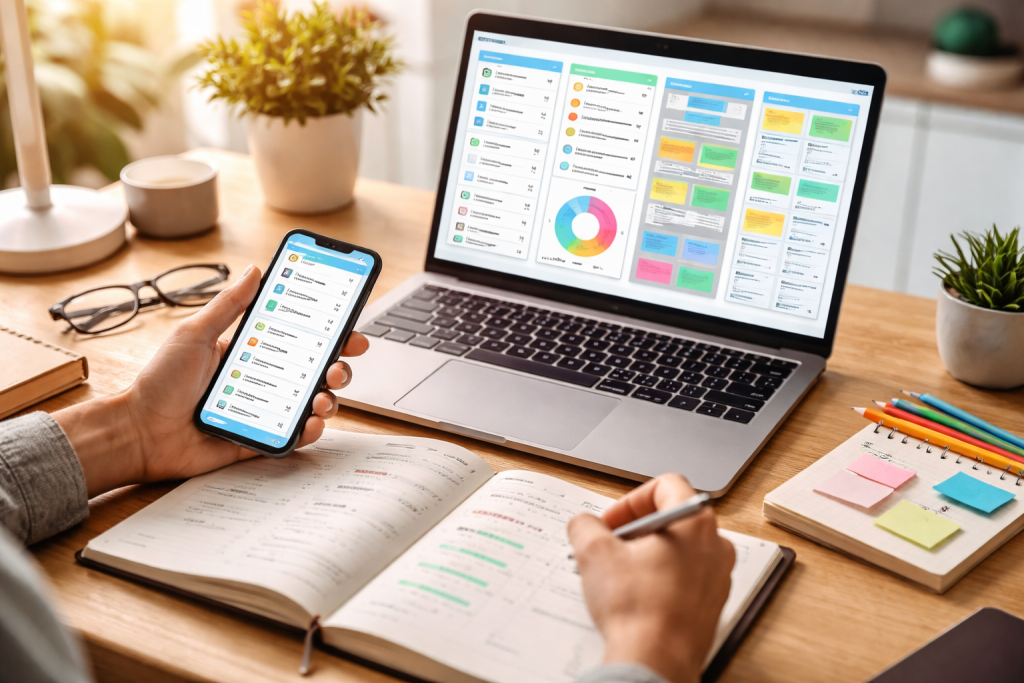
I. Task Management Systems: The Foundation of Productivity
Task management systems are digital platforms designed to help individuals and teams organize, prioritize, and track their work. They serve as a central repository for all commitments, transforming abstract obligations into actionable steps. Think of them as a digital to-do list, but with significant enhancements that allow for greater detail, collaboration, and progress monitoring.
A. Simple To-Do List Applications: Getting Started
For many, the journey into structured time management begins with simple to-do list applications. These tools offer a straightforward interface for jotting down tasks, often with basic functionalities for setting due dates and marking items as complete. They are an excellent starting point for individuals who are new to formal time management or who prefer a minimalist approach.
- Examples: Todoist, Microsoft To Do, and Google Tasks.
- Key Features: Task creation, due date setting, basic categorization, completion tracking.
- Benefits: Low barrier to entry, easy to use, helps offload the the mental burden of remembering tasks.
- Limitations: This tool may lack advanced features needed for complex projects and has limited collaboration options.
B. Advanced Task Managers: For Complex Projects and Teams
As projects become more intricate and collaboration becomes a necessity, advanced task managers offer a robust set of features. These tools go beyond simple lists, providing functionalities for breaking down large projects into smaller subtasks, assigning ownership, setting dependencies, and visualizing progress. They are particularly valuable for project managers, teams, and individuals handling multi-faceted responsibilities.
- Examples: Asana, Trello, Jira, and Monday.com.
- Key Features: Project breakdowns, subtasks, assignee allocation, due dates, priority settings, file attachments, comment sections, customizable workflows, integration with other applications.
- Benefits: Enhanced collaboration, clear project overview, improved accountability, streamlined communication, and visual project tracking (e.g., Kanban boards, Gantt charts).
- Limitations: Can have a steeper learning curve, may require a subscription for advanced features, and has the potential for over-configuration if not managed carefully.
II. Calendar and Scheduling Tools: Orchestrating Your Day
Calendars and scheduling tools are fundamental to effective time management, serving as the temporal anchors for your commitments. They transform the abstract concept of “time” into concrete blocks of scheduled activity, allowing you to visualize your day, week, and month. By proactively allocating time for tasks, meetings, and personal appointments, you, the user, can gain a clearer understanding of your availability and prevent overcommitment.
A. Digital Calendars: Your Central Time Hub
Digital calendars have largely replaced their paper counterparts, offering unparalleled flexibility, synchronization across devices, and integration with other productivity tools. They are the backbone of personal and professional scheduling.
- Examples: Google Calendar, Outlook Calendar, Apple Calendar.
- Key Features: Event creation with start/end times, recurring events, reminders, multiple calendars for different purposes (e.g., work, personal), invitation and RSVP functionalities, and integration with video conferencing platforms.
- Benefits: centralized scheduling, reduced scheduling conflicts, automated reminders, easy sharing of availability, and accessibility from any device.
- Limitations include the potential for clutter if not managed diligently and a reliance on internet connectivity for certain features.
B. Appointment Scheduling Software: Streamlining Interactions
For professionals who frequently schedule meetings with clients, colleagues, or external parties, appointment scheduling software automates much of the back-and-forth communication involved in finding a suitable time. These tools eliminate the manual effort of exchanging availability, thereby saving valuable time and reducing friction in the scheduling process.
- Examples: Calendly, Acuity Scheduling, Doodle.
- Key Features: Customizable availability settings, automatic time zone detection, integration with digital calendars, buffer times between appointments, automated reminders for attendees, and the ability to accept payments for services.
- Benefits: Reduces administrative burden, improves client experience, minimizes no-shows, and provides a professional scheduling interface.
- Limitations: May require a subscription for advanced features, limited flexibility for complex or multi-party scheduling scenarios that require human judgment.
III. Note-Taking Applications: Capturing and Organizing Information
In an information-rich environment, the ability to capture, organize, and retrieve information efficiently is a cornerstone of productivity. Note-taking applications transcend the capabilities of traditional paper notebooks, offering searchability, synchronization, and multimedia integration. They serve as your digital repository, guaranteeing the preservation of valuable insights, ideas, and facts.
A. Simple Note- Taking: Quick Capture and Storage
For individuals who primarily need a place to quickly jot down ideas, temporary information, or simple reminders, simple note-taking applications offer a streamlined experience. They prioritize ease of use and rapid information input.
- Examples: Google Keep, Apple Notes, Microsoft OneNote (basic usage).
- Key Features: Text notes, checklists, basic formatting, image attachments, reminders, and search functionality.
- Benefits: Fast information capture, cross-device synchronization, and easy organization with tags or notebooks.
- Limitations: May lack robust organization or advanced features for complex research or extensive content creation.
B. Advanced Note-Taking and Knowledge Management: Building a Digital Brain
For students, researchers, writers, and professionals who deal with large volumes of information and require sophisticated organization, advanced note-taking and knowledge management systems provide a powerful framework. These tools facilitate the creation of interconnected notes, allowing you to build a personal knowledge base.
- Examples: Evernote, Notion, Obsidian, and Roam Research.
- Key features include rich text editing, multimedia embedding (such as audio, video, and files), a web clipper for saving articles, robust search capabilities, tagging, linking notes, template creation, collaboration features, and version history. Some offer graph views for visualizing connections between notes.
- Benefits: comprehensive information organization, improved knowledge retrieval, fostering of new insights through interconnected ideas, long-term knowledge retention.
- Limitations include a potentially steeper learning curve, the need to follow specific organizational methods for effectiveness, and often requiring a subscription to access the full set of features.
IV. Focus and Distraction Management Tools: Cultivating Concentration
Distraction is a significant impediment to productivity in the digital age. The constant barrage of notifications, emails, and social media updates can fragment attention and derail workflows. Focus and distraction management tools are designed to create a conducive environment for deep work, helping you, the reader, to maintain concentration and minimize interruptions. They serve as vigilant protectors against the enticing lure of digital distractions.
A. Website and Application Blockers: Shielding Against Digital Noise
Website and application blockers empower users to temporarily restrict access to distracting online content and applications. By actively removing these temptations, individuals can create a more focused digital workspace.
- Examples: Freedom, Cold Turkey, StayFocusd (browser extension).
- Key Features: Customizable block lists for websites and applications, scheduled blocking sessions, “locked” mode to prevent disabling during sessions, whitelisting for essential tools.
- Benefits: it reduces digital distractions, improves concentration, helps establish healthy digital habits, and boosts productivity during dedicated work periods.
- Limitations: Requires self-discipline to adhere to the blocking schedule; may inadvertently block necessary resources if not configured carefully.
B. Time Tracking and Pomodoro Timers: Structured Focus Intervals
Time tracking tools and Pomodoro timers offer systematic approaches to managing attention and work intervals. They encourage users to dedicate specific periods to focused work, often followed by short breaks, thereby combating mental fatigue and maintaining momentum. The Pomodoro Technique, in particular, leverages structured intervals to optimize cognitive output.
- Examples: Toggl Track, Clockify, Focus Keeper (Pomodoro app), and PomoDone App.
- Key Features: Automatic or manual time tracking for tasks, project categorization, reporting on time spent, customizable Pomodoro intervals (e.g., 25 minutes work, 5 minutes break), and audible alerts.
- Benefits: Improved awareness of time allocation, enhanced focus during allocated work blocks, prevention of burnout through scheduled breaks, and data for analyzing productivity patterns.
- Limitations include the need for consistent use to achieve benefits, the potentially time-consuming initial setup for categories, and the possibility that it may not suit all work styles.
V. Collaboration Tools: Synchronizing Team Efforts
In an increasingly collaborative work environment, both co-located and remote, tools that facilitate seamless communication and shared effort are indispensable. Collaboration tools transcend geographical boundaries, allowing teams to work together efficiently, share resources, and track collective progress. They act as the digital link between team members, guaranteeing that everyone is operating from the same blueprint.
A. Communication Platforms: Real-Time Interaction
Communication platforms provide real-time messaging and conferencing capabilities, replacing fragmented email chains and reducing the need for face-to-face meetings for quick discussions. They foster a sense of immediate connection and can significantly speed up decision-making processes.
- Examples: Slack, Microsoft Teams, Discord (for specific communities).
- Key Features: Instant messaging (one-on-one and group channels), file sharing, audio and video calls, screen sharing, integration with other productivity tools, and searchable message history.
- Benefits include faster communication, improved team cohesion, reduced email clutter, a centralized communication hub, and enhanced transparency.
- Limitations include the potential for information overload if not managed effectively, the risk of distraction if not used intentionally, and the need for clear communication guidelines.
B. Document Collaboration and File Sharing: Shared Workspace
Document collaboration and file-sharing platforms enable multiple individuals to work on the same documents concurrently, eliminating version control issues and streamlining feedback processes. These tools create a shared digital workspace where information is readily accessible and continuously updated.
- Examples: Google Workspace (Docs, Sheets, Slides), Microsoft 365 (Word, Excel, PowerPoint), Dropbox, SharePoint.
- Key Features: Real-time co-editing, version history, commenting and suggestion features, secure file storage, access permissions, synchronization across devices, integration with communication platforms.
- Benefits: enhanced teamwork, elimination of version conflicts, streamlined feedback loops, secure and centralized file access, and improved documentation management.
- Limitations: Reliance on internet connectivity, potential for accidental edits if permissions are not managed carefully, and a learning curve for advanced features.
Conclusion
The array of online productivity tools available to you, the modern individual, is vast and ever-evolving. From fundamental task managers that serve as your daily docket to sophisticated knowledge management systems that act as an extension of your memory, these digital instruments offer tangible benefits. However, it is crucial to understand that no single tool is a panacea. The efficacy of any productivity tool is directly proportional to how deliberately and consistently it is integrated into your workflow.
Consider your personal and professional needs: Are you struggling with procrastination, information overload, or simply maintaining a consistent schedule? By identifying your primary challenges, you can select tools that directly address those pain points. Start small, try out a few options, and be ready to modify your strategy as needed. The goal is not to adopt every trending application but to cultivate a personalized ecosystem of tools that empowers you to manage your time more effectively, reduce stress, and ultimately achieve your objectives with greater precision and efficiency. Mastering your time is not about working more hours but about working smarter, and these tools are designed to facilitate that very outcome.
FAQs
What are online productivity tools?
Online productivity tools are software applications or platforms designed to help individuals and teams manage their time, tasks, and projects more efficiently. These tools often include features such as task management, calendar integration, collaboration tools, and time tracking.
How can online productivity tools help with time management?
Online productivity tools can help with time management by providing features such as task prioritization, deadline reminders, time tracking, and collaboration tools. These tools can help individuals and teams stay organized, focused, and on track with their work, ultimately leading to better time management.
What are some popular online productivity tools?
Some popular online productivity tools include Trello, Asana, Todoist, Microsoft To Do, Google Calendar, Evernote, and Slack. These tools offer a range of features to help individuals and teams manage their time and tasks more effectively.
How do online productivity tools improve productivity?
Online productivity tools improve productivity by helping individuals and teams stay organized, prioritize tasks, set deadlines, collaborate more effectively, and track their time. By providing these features, these tools can help users work more efficiently and effectively, ultimately leading to improved productivity.
Are online productivity tools suitable for individuals and teams?
Yes, online productivity tools are suitable for both individuals and teams. These tools offer features that can help individuals manage their personal tasks and time, as well as collaborate with team members on shared projects and deadlines.