Two-Factor Authentication Demystified: How It Works and Why You Need It
Two-factor authentication (2FA) is a security process that requires users to provide two different authentication factors to verify their identity. This layered approach to security is designed to prevent unauthorized access to accounts and systems. In essence, it’s like having a second lock on your digital door. This article will explain how 2FA functions and the critical importance of adopting it.
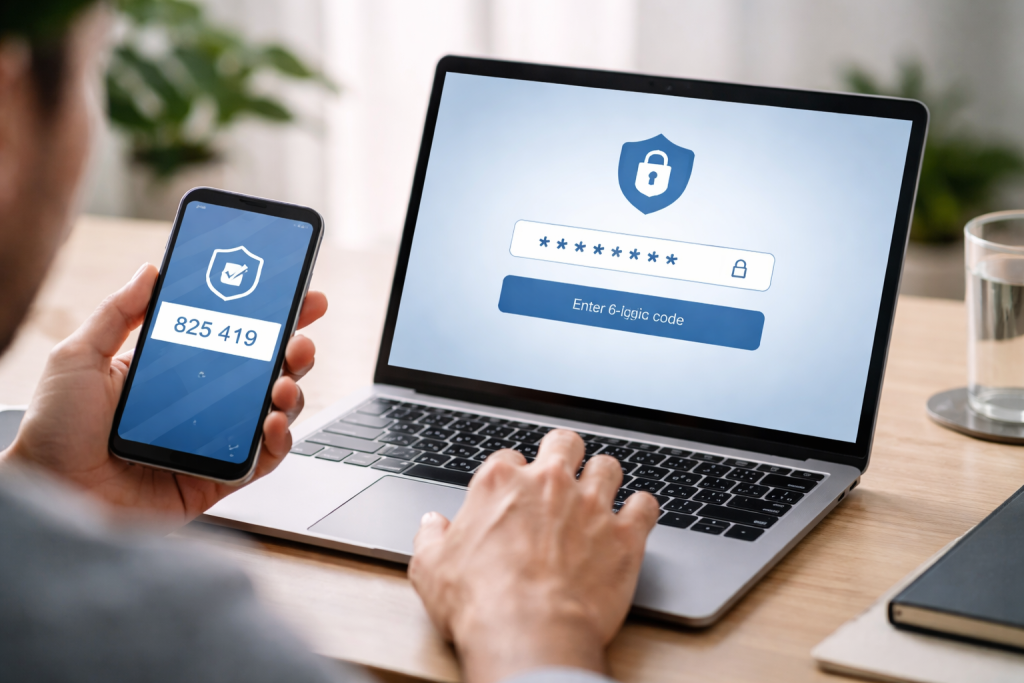
Understanding the Authentication Factors
Fundamentally, 2FA poses a challenge that necessitates the use of two distinct types of evidence. These factors are generally categorized into three types, and 2FA requires a combination of any two.
Something You Know
This is the most common and foundational authentication factor. It relies on information that only the legitimate user should possess.
Passwords and PINs
The quintessential example of “something you know” is a password. This is a secret string of characters that a user chooses to identify themselves. Likewise, a Personal Identification Number (PIN) serves a similar purpose, often used for financial transactions or device unlocking. The security of this factor is entirely dependent on its secrecy and the user’s ability to remember it without writing it down in an insecure location.
Security Questions
Many services, during account creation or recovery, ask users to answer security questions. These might include “What was the name of your first pet?” or “In what city were you born?” The effectiveness of this method hinges on the obscurity of the answers and the user’s consistent recall. However, these questions can sometimes be deduced from public information or social engineering.
Something You Have
This category of authentication factors involves physical possession of a specific item. It introduces a tangible component to the security process, making it harder for an attacker to replicate without physical access.
Hardware Security Keys
A hardware security key is a small physical device, often resembling a USB drive, that generates unique authentication codes or stores cryptographic keys. When you attempt to log in, you plug the key into your device or tap it against a compatible reader. This device acts as a digital passport, proving that you are physically present. Examples include YubiKeys and other FIDO-compliant devices.
Mobile Authenticator Apps
Mobile authenticator applications, such as Google Authenticator, Authy, or Microsoft Authenticator, generate time-based one-time passcodes (TOTP). These codes change every 30 to 60 seconds, ensuring that even if an attacker intercepts a code, it will quickly become invalid. The app’s security relies on the device it’s installed on being secured with a PIN or biometric lock.
SMS One-Time Passcodes (OTP)
SMS OTPs are codes sent via text message to a registered phone number. When you log in, a code is sent to your phone, and you must enter this code along with your password. While convenient and widely adopted, SMS OTPs are considered less secure. This is due to vulnerabilities like SIM swapping, where an attacker can port your phone number to a device they control.
Something You Are
This factor relies on unique biological characteristics of the individual. These are inherent to a person and are extremely difficult to replicate.
Biometric Authentication
Biometrics refer to unique biological traits that can be used for identification. This includes fingerprints, facial recognition, iris scans, and even voice recognition. Your fingerprint, for example, is a unique biological signature that a device can scan and match against a stored template. The security here is dependent on the accuracy and robustness of the biometric scanning technology.
Behavioral Biometrics
A more advanced form of biometrics analyzes unique patterns in a user’s behavior, such as how they type, move their mouse, or hold their phone. This can create a continuous authentication layer, working in the background to verify the user’s identity without explicit action. For instance, the rhythm of your keystrokes might be a unique identifier.
How Two-Factor Authentication Works in Practice
Implementing 2FA involves integrating two or more of the above factors into the login process. The exact sequence and method can vary depending on the service provider and the chosen 2FA method.
The Login Sequence
When you encounter a service that uses 2FA, the process typically unfolds as follows:
- First Factor Entry: You begin by entering your primary authentication credential, usually your username and password (something you know). This is like presenting your initial identification at a checkpoint.
- Second Factor Challenge: Upon successful entry of the first factor, the system prompts you for your second authentication factor. This could be a prompt to enter a code from your authenticator app, a text message, or to tap your security key.
- Verification: Once you provide the second factor, the system compares it against a pre-registered value. If both factors match, you are granted access. If either factor fails validation, access is denied.
Common Implementation Scenarios
Different services implement 2FA in ways tailored to their user base and security needs.
Website Logins
For most web services like email providers, social media platforms, and online banking, 2FA is typically initiated after you enter your username and password. You will then be asked to provide a code from an authenticator app or an SMS message.
Mobile Application Access
Many mobile applications also incorporate 2FA. This is particularly common for financial apps or services that handle sensitive personal data. The process is often similar to web logins, where you will be prompted for a second factor after entering your credentials within the app itself.
Device and System Access
Beyond online services, 2FA can also be applied to secure access to your computer or smartphone. This might involve an initial password login followed by a fingerprint scan or a code from a paired device. This adds a robust layer of defense against unauthorized physical access to your hardware.
Why You Absolutely Need Two-Factor Authentication
The digital landscape is rife with threats, and relying on a single password is akin to leaving your front door unlocked with a sign saying “Password inside.” 2FA significantly elevates your security posture.
Protecting Against Credential Stuffing Attacks
Credential stuffing is a prevalent cyberattack where attackers use lists of usernames and passwords stolen from previous data breaches to gain access to other accounts. Because these lists are so large, it’s often a numbers game for attackers.
The Password Weakness
A single password, no matter how complex, becomes vulnerable the moment it’s compromised. If an attacker obtains your password through a data breach on one service, they can (and often will) try to use it on many other services you might use, such as your banking, email, or social media. This widespread reuse of passwords is a significant security hole.
2FA as a Digital Bouncer
2FA acts as a sophisticated digital bouncer. Even if an attacker possesses your password, they still need to overcome the second hurdle of proving they have access to the specific device or biometric trait you’ve registered. Without this second factor, they remain locked out, effectively negating the stolen password.
Mitigating the Impact of Phishing and Social Engineering
Phishing attacks are designed to trick you into revealing sensitive information, including your passwords. Social engineering exploits human psychology to gain unauthorized access.
Deceitful Tactics
Attackers might send fake emails or messages impersonating legitimate services, asking you to “verify” your account details by clicking a malicious link that leads to a fake login page. If you fall for this and enter your password, the attacker has it.
The Second Line of Defense
When 2FA is enabled, even if you inadvertently give away your password through a phishing scam, the attacker still cannot access your account without the second factor. This second factor is typically tied to your physical possession (phone, security key) or a unique biological characteristic, which the phishers cannot obtain through their deception alone. This makes 2FA a critical safeguard against falling victim to these manipulative tactics.
Securing Sensitive Data and Financial Information
Many online accounts contain highly sensitive personal and financial data. Unauthorized access can lead to identity theft, financial loss, and reputational damage.
The Digital Vault
Think of your online accounts as digital vaults storing your most valuable information: your bank account details, your medical records, your private correspondence, and your personal identification. A single password is like a simple padlock on this vault.
Fortifying the Vault
2FA adds a robust multi-lock system to this vault. It significantly increases the effort and expertise required for an attacker to breach your digital defenses. By requiring a second, independent form of verification, you drastically reduce the risk of your sensitive data falling into the wrong hands, protecting you from potentially devastating consequences.
Types of Two-Factor Authentication and Their Security Implications
While 2FA is generally effective, not all methods offer the same level of security. Understanding these differences is crucial for making informed choices about your online security.
Authenticator Apps vs. SMS OTP
Authenticator apps are generally considered more secure than SMS-based OTPs.
The Dynamic Nature of Authenticator Apps
Authenticator apps, as mentioned, generate time-based one-time passcodes (TOTP). These codes are constantly changing and are not transmitted over a network that can be easily intercepted. The security of the app relies on the security of the device it’s installed on.
The Vulnerabilities of SMS
SMS messages, on the other hand, are transmitted over cellular networks, which can be susceptible to interception. More critically, SMS OTPs are vulnerable to SIM swapping attacks. In a SIM swap, an attacker tricks a mobile carrier into transferring your phone number to a SIM card they control. Once they have your number, they can intercept your OTPs and gain access to your accounts. This is a sophisticated but unfortunately common method used by cybercriminals.
Hardware Security Keys: The Gold Standard
Hardware security keys represent one of the strongest forms of 2FA available.
Tamper-Proof and Phishing-Res
Hardware keys are designed to be resistant to physical tampering and are inherently phishing-resistant. They work by generating unique cryptographic signatures that verify your identity. When you use a hardware key, the authentication process happens directly on the key itself, meaning your credentials are never exposed to the internet or your computer’s operating system, which could be compromised.
The Uniqueness of the Key
Unlike codes that can be intercepted or guessed, the hardware key is a physical object that must be present. If an attacker doesn’t have physical possession of your security key, they cannot authenticate. This makes them an exceptionally effective barrier against most forms of online attack.
Biometrics: Convenience Meets Security
Biometric authentication offers a high degree of convenience, but its security level can vary.
The Strength of Uniqueness
Fingerprint and facial recognition are unique to each individual, offering a strong deterrent against unauthorized access. The convenience factor is undeniable; a quick scan of your fingerprint is often faster than typing in a password and a code.
Potential Weaknesses
However, biometric systems are not infallible. High-quality facial recognition systems can sometimes be fooled by sophisticated masks or high-resolution photographs. Similarly, advanced techniques for lifting and replicating fingerprints exist, although they are generally not within the reach of casual attackers. The security of biometrics also relies on the secure storage of your biometric templates by the service provider. If these templates are compromised, the privacy and security of your biometric data are at risk.
Implementing Two-Factor Authentication for Your Accounts
| Two-Factor Authentication Demystified | |
|---|---|
| Definition | It is a security process in which the user provides two different authentication factors to verify themselves. |
| How It Works | It typically involves something the user knows (password) and something the user has (security token or mobile device). |
| Benefits | Enhanced security, protection against unauthorized access, and reduced risk of identity theft. |
| Importance | It is crucial for protecting sensitive data, financial information, and personal accounts from cyber threats. |
| Usage | Increasingly adopted by online services, banking institutions, and corporate networks. |
Adopting 2FA is a proactive step that individuals and organizations can take to significantly enhance their security. The process is generally straightforward.
Checking for 2FA Support
Many online services now offer 2FA as an option. The first step is to navigate to the security settings of your accounts.
Locating Security Settings
Within your account settings, look for sections labeled “Security,” “Login,” “Privacy,” or similar. You should find an option to enable or manage two-factor authentication. Some services might explicitly label it “2FA” or “two-step verification.”
Recognizing the Options
Once you find the 2FA settings, you will typically be presented with the available methods. This might include options for SMS codes, authenticator apps, or hardware security keys. Carefully review the available choices and consider the security implications of each.
Setting Up Your Preferred Method
Once you’ve confirmed that a service supports 2FA, you can proceed with setting it up.
Configuring Authenticator Apps
If you choose to use an authenticator app, you will usually be presented with a QR code or a secret key. You then open your chosen authenticator app on your smartphone and add a new account, scanning the QR code or manually entering the key. The app will then begin generating codes specific to that account.
Enabling SMS OTP
For SMS OTP, you will typically need to provide and verify your mobile phone number. The service will send a test code to your phone, which you will need to enter to confirm ownership.
Registering Hardware Security Keys
When setting up a hardware security key, you will be prompted to insert the key into your device and follow on-screen instructions. This process often involves touching the key or pressing a button on it to confirm that you are physically present.
The Future of Authentication: Beyond Two Factors?
As technology advances, so do the methods of authentication. The concept of multi-factor authentication (MFA) extends beyond two factors, and newer, more contextual approaches are emerging.
Multi-Factor Authentication (MFA)
MFA simply refers to a system that requires more than two authentication factors. While 2FA is the most common implementation, in environments with extremely high security requirements, three or even more factors might be mandated.
Layered Security for Critical Systems
In government agencies, financial institutions, or critical infrastructure systems, MFA can involve a combination of something you know (password), something you have (smart card or token), and something you are (fingerprint or iris scan). Each additional layer significantly increases the difficulty for an attacker to compromise the system.
Contextual and Adaptive Authentication
The next wave of authentication is moving towards being more dynamic and responsive to the context of the login attempt.
Risk-Based Access Control
Instead of a static 2FA requirement for every login, adaptive authentication analyzes various contextual factors to assess the risk of a particular login attempt. This might include the user’s location, the device being used, the time of day, and the sensitivity of the resource being accessed. If an attempt appears risky (e.g., logging in from a new, unusual location), the system might prompt for an additional verification step. Conversely, if the context is normal and expected, 2FA might be bypassed for convenience.
Continuous Authentication
Emerging technologies are also exploring continuous authentication, where the system constantly monitors user behavior and biometrics throughout a session. If the system detects a significant deviation from the established patterns, it can automatically re-prompt for authentication or even revoke access, ensuring that the user who initially logged in is still the one actively engaging with the system. This shifts authentication from a discrete event to an ongoing process.
In conclusion, while the landscape of digital security is constantly evolving, two-factor authentication remains a fundamental and highly effective measure for protecting your online accounts and sensitive data. Its widespread adoption is a crucial step in building a more secure digital environment for everyone.