Unraveling the Mystery of Binary Code: A Comprehensive Explanation for Beginners
Binary code is a fundamental concept in computing. It represents information using only two symbols: 0 and 1. This system, known as a base-2 numeral system, is the native language of computers and underpins all digital technology. Understanding binary code is essential for comprehending how computers process and store data.
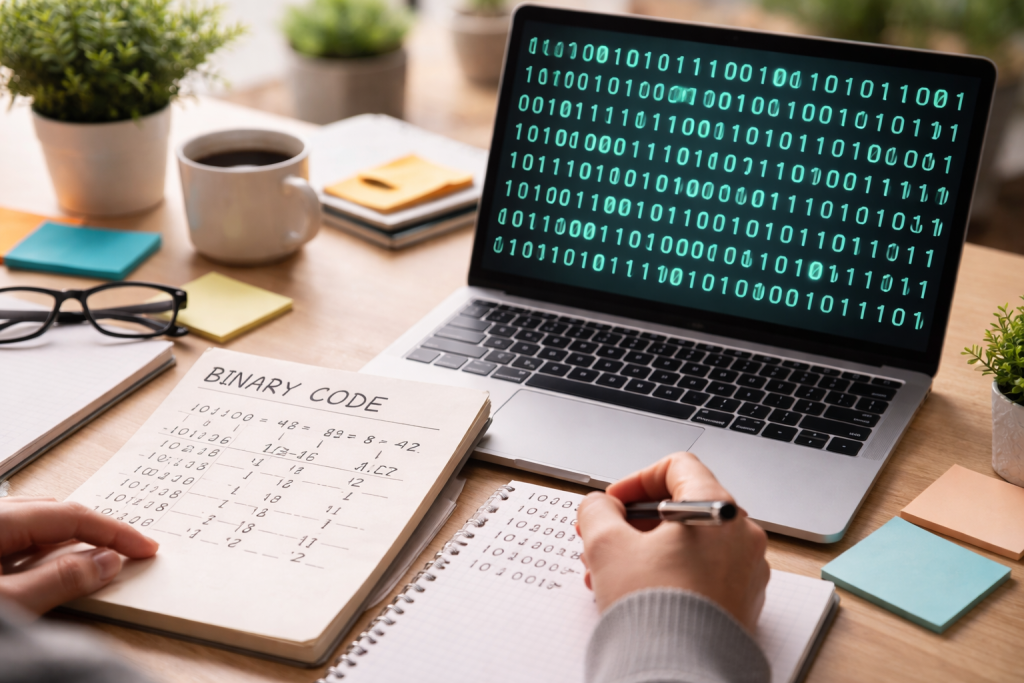
Binary code is a numerical system that uses two distinct symbols. These symbols often appear as “0” and “1.” Each “0” or “1” is called a bit, short for “binary digit.” These bits are the smallest unit of data in computing. Imagine a light switch: it can be either on (1) or off (0). This simple, two-state system is the core of binary.
The Bit: The Building Block of Information
A single bit carries very little information. It can only represent two possibilities. However, when bits are grouped together, they can represent a vast amount of data. For example, two bits can represent four possibilities (00, 01, 10, 11), and three bits can represent eight possibilities (000, 001, 010, 011, 100, 101, 110, 111). This exponential growth in representational capacity is key to binary’s power.
Bytes and Beyond: Organizing Binary Data
When eight bits are grouped, they form a byte. A byte is a common unit of digital information and can represent 256 different values (2 to the power of 8). Larger units like kilobytes (1,024 bytes), megabytes (1,024 kilobytes), gigabytes (1,024 megabytes), and so on, are simply progressively larger aggregations of bytes. These units provide a hierarchical structure for measuring and organizing digital data.
The concept of representing information using two states is not new. Ancient cultures employed similar systems. However, its formalization and widespread application in computing are more recent developments.
Early Binary Systems
Philosophers and mathematicians have explored binary concepts for centuries. The ancient Chinese text I Ching uses a binary system of solid and broken lines. The Indian scholar Pingala, around the 3rd century BCE, described a binary system for prosody. Later, Gottfried Wilhelm Leibniz, a 17th-century German mathematician, developed a complete binary numeral system, seeing philosophical significance in its simplicity. He recognized its potential for computation.
Binary Code in the Digital Age
The true importance of binary codes emerged with the advent of electronic computers. Early computers, such as the Atanasoff–Berry Computer and ENIAC, used binary principles. The fundamental reason for this adoption is the ease with which electronic circuits can represent two states. A transistor is either on (conducting current, representing 1) or off (not conducting, representing 0). This natural correspondence makes binary ideal for electronic computation.
Why Binary is Essential
Binary code is essential because it aligns with the physical reality of electronic components. It provides a robust, unambiguous way for computers to process, store, and transmit information. Every character you type, every image you see, and every sound you hear on a digital device is ultimately represented and manipulated as sequences of 0s and 1s. Without binary, modern computing as we know it would not exist.
To understand binary, consider it analogous to the decimal system we use daily, but with a smaller set of digits. In decimal (base-10), each digit’s position represents a power of 10. In binary (base-2), each digit’s position represents a power of 2.
Positional Value in Binary
Let’s break down the positional value. Move from right to left in a binary number. The rightmost digit represents 2 to the power of 0 (which is 1). The next digit to the left represents 2 to the power of 1 (which is 2). The next represents 2 to the power of 2 (which is 4), and so on. Each position doubles its value as you move left.
For example, consider the binary number 1011:
- The rightmost ‘1’ is in the 2^0 position, so it represents 1 2^0 = 1 1 = 1.
- The next ‘1’ is in the 2^1 position, so it represents 1 2^1 = 1 2 = 2.
- The ‘0’ is in the 2^2 position, so it represents 0 2^2 = 0 4 = 0.
- The leftmost ‘1’ is in the 2^3 position, so it represents 1 2^3 = 1 8 = 8.
Adding these values together (1 + 2 + 0 + 8) gives us 11. So, the binary number 1011 is equivalent to the decimal number 11.
Binary Arithmetic
Just like decimal numbers, binary numbers can be added, subtracted, multiplied, and divided. Understanding binary addition is a beneficial starting point.
- 0 + 0 = 0
- 0 + 1 = 1
- 1 + 0 = 1
- 1 + 1 = 10 (which means 0 with a carry-over of 1 to the next position, similar to carrying over 10 in decimal addition).
For example, to add 01 (decimal 1) and 10 (decimal 2):
“`
01
+ 10
–
11 (decimal 3)
“`
And to add 01 (decimal 1) and 01 (decimal 1):
“`
01
+ 01
–
10 (decimal 2)
“`
This carry-over mechanism is fundamental to binary arithmetic and how computers perform calculations.
Binary code is the foundation of all digital systems. It’s the language that hardware speaks and the medium through which software operates.
Data Representation
Every piece of data inside a computer is stored in binary.
- Text: Each character on your keyboard (letters, numbers, symbols) has a corresponding binary code. Standards like ASCII and Unicode map these characters to specific binary sequences. For example, in ASCII, the letter ‘A’ is represented by the binary sequence 01000001.
- Images: An image is a grid of pixels. Each pixel’s color is represented by a binary value. A black and white image might use a single bit per pixel (0 for white, 1 for black). Color images use more bits per pixel to represent a wider range of colors.
- Sound: Audio is converted into digital samples. Each sample’s amplitude (loudness) is represented by a binary number. A sequence of these binary numbers reconstructs the sound.
- Instructions: The instructions that tell the computer’s central processing unit (CPU) what to do are also in binary. These machine code instructions are specific to the CPU architecture.
Processing and Logic Gates
At the heart of a computer’s CPU are tiny electronic switches called transistors. These transistors act as logic gates (AND, OR, NOT, XOR). These gates take one or more binary inputs and produce a single binary output based on simple logical rules. By combining millions or billions of these gates, computers can perform complex calculations and execute programs. This is where the ‘thinking’ of the computer, in a sense, takes place. Binary is the only language these gates understand.
Being able to convert between binary and decimal is a practical skill for understanding binary’s inner workings.
Binary to Decimal Conversion
As discussed earlier, to convert binary to decimal, you sum the positional values of the ‘1’s.
- Write down the binary number.
- Starting from the rightmost digit, assign powers of 2 to each position, starting with 2^0.
- Multiply each binary digit by its corresponding power of 2.
- Add the results.
Example: Convert binary 1101 to decimal.
- 1 2^3 = 1 8 = 8
- 1 2^2 = 1 4 = 4
- 0 2^1 = 0 2 = 0
- 1 2^0 = 1 1 = 1
Sum: 8 + 4 + 0 + 1 = 13. So, 1101 (binary) = 13 (decimal).
Decimal to Binary Conversion
Converting decimal to binary involves repeated division by 2.
- Divide the decimal number by 2.
- Record the remainder (which will be either 0 or 1).
- Divide the quotient from the previous step by 2.
- Repeat this process until the quotient is 0.
- Read the remainders from bottom to top to get the binary equivalent.
Example: Convert decimal 13 to binary.
- 13 ÷ 2 = 6 remainder 1
- 6 ÷ 2 = 3 remainder 0
- 3 ÷ 2 = 1 remainder 1
- 1 ÷ 2 = 0 remainder 1
Reading the remainders from bottom to top gives 1101. So, 13 (decimal) = 1101 (binary).
Binary code, despite its simplicity, is often misunderstood. Addressing these common misconceptions can clarify its role.
Binary is a programming language.
Binary code is not a programming language in the typical sense. Programming languages like Python, Java, or C++ are high-level languages designed for humans to write instructions. These high-level languages are then translated through compilers or interpreters into machine code (binary) that the computer’s CPU can execute directly. Binary is the machine’s native language, not a language humans directly program in for most tasks.
Binary is Difficult to Understand
The core concept of binary—using two states—is simple. The apparent complexity arises from seeing long strings of 0s and 1s without understanding their positional value or the context. Once you grasp the idea of positional value and how bits form larger units like bytes, binary becomes much more accessible. It’s like learning the alphabet before reading a book; individual letters might seem meaningless, but in combination, they form words and sentences.
Computers Think in Binary
Computers do not “think” in binary. “Thinking” implies consciousness or understanding, which computers lack. Computers are machines that execute instructions. They manipulate electrical signals that represent binary states. The results of these manipulations are then presented to users in human-readable formats. The binary code is merely the mechanism for representing and processing information, not a medium for thought.
While you don’t directly interact with binary, it is the invisible engine powering nearly every piece of technology you encounter.
Digital Communication
When you send a text message, browse the internet, or make a video call, your device converts your input into binary data. This binary data is then transmitted digitally, often as electrical signals, light pulses (in fiber optics), or radio waves. The receiving device then decodes this binary data back into a human-readable format. This seamless conversion is fundamental to modern communication.
Storage Devices
Hard drives, solid-state drives (SSDs), USB drives, and memory cards all store data in binary form. Magnetic platters on hard drives store bits as magnetic polarities. Flash memory in SSDs stores bits as electrical charges. Every document, photo, video, and application on your devices is a vast collection of 0s and 1s.
Embedded Systems
Binary code is foundational to the operation of embedded systems found in countless everyday objects. These include your car’s engine control unit, smart home devices (light bulbs, thermostats), washing machines, microwaves, and even digital watches. These devices rely on microcontrollers that execute binary instructions to perform their functions.
Binary code is not a mystery; it is a logical and efficient method for representing information that perfectly suits the physical characteristics of electronic circuits. It is the bedrock of the digital world, silently underpinning every interaction you have with technology.
FAQs
1. What is binary code?
Binary code is a system of representing text or computer processor instructions using the binary number system, which uses only two symbols: typically 0 and 1.
2. The History and Importance of Binary Code
Binary code was first introduced by the German mathematician and philosopher Gottfried Wilhelm Leibniz in the 17th century. It is important because it forms the foundation of how computers and digital systems operate, as they use binary code to process and store data.
3. Understanding the Basics of Binary Code
In binary code, each digit is referred to as a bit, and a group of 8 bits is called a byte. The position of each bit in a binary number represents a power of 2, allowing for the representation of larger numbers using combinations of 0s and 1s.
4. How Binary Code is Used in Computers and Technology
Computers and technology use binary code to represent and process data, including text, images, and instructions. Binary code is the fundamental language that computers understand and use to perform calculations and execute programs.
5. Converting Binary Code to Decimal and Vice Versa
Converting binary code to decimal involves multiplying each bit by the corresponding power of 2 and adding the results together. Vice versa, converting decimal to binary involves dividing the decimal number by 2 and recording the remainders to obtain the binary representation.