Unraveling the Mystery of Processors: A Beginner’s Guide to Computer Brains
The central processing unit, or CPU, is often called the “brain” of a computer. It is responsible for executing instructions and performing calculations that allow your computer to function. Without a CPU, a computer would be little more than a collection of inert parts. This guide aims to demystify CPUs for those new to computer hardware.
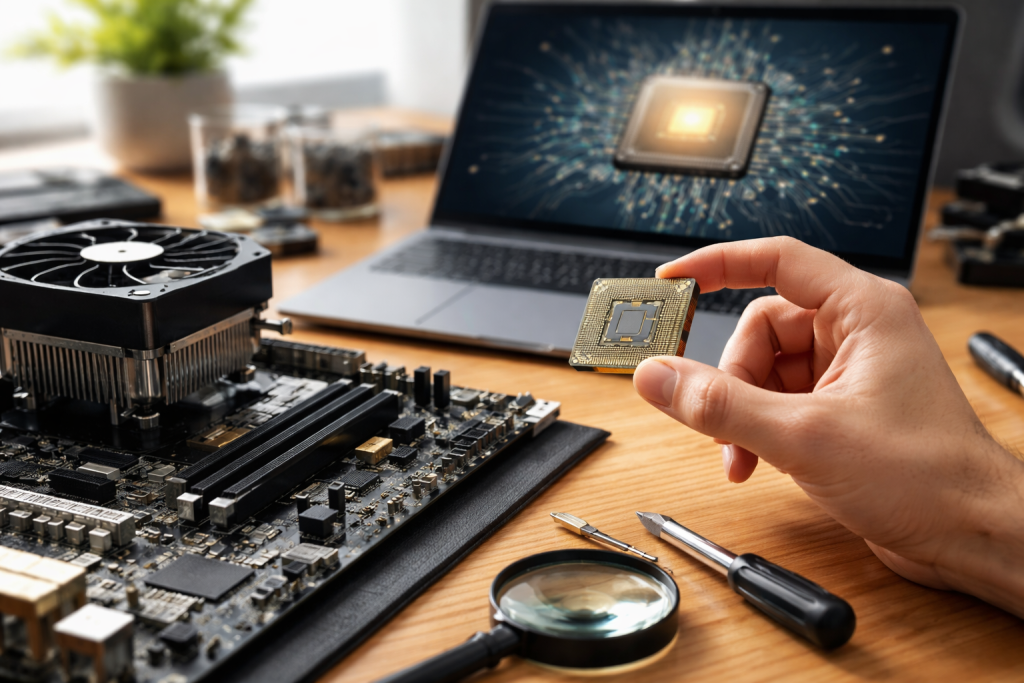
A processor, formally known as a central processing unit (CPU), is the core component of a computer system that performs most of the processing inside a computer. Think of it as the conductor of an orchestra—it directs all the other components, telling them what to do and when to do it. It receives instructions from software programs and performs the calculations needed to carry them out. These instructions are the commands that tell your computer what tasks to perform, such as opening an application, playing a video, or sending an email.
The Core Function: Fetch, Decode, Execute
At its most fundamental level, a CPU operates on a continuous cycle known as the fetch-decode-execute cycle.
Fetching Instructions
The CPU retrieves instructions from the computer’s memory (RAM). Imagine this like the conductor looking at the sheet music to know what note comes next.
Decoding Instructions
Once an instruction is fetched, the CPU decodes it. This means it figures out what the instructions actually mean and what action needs to be performed. The conductor interprets the musical notation to understand the pitch and duration of the note.
Executing Instructions
Finally, the CPU executes the instruction. This involves performing the calculation or operation required. The musician plays the note corresponding to the instruction. This cycle repeats millions or billions of times per second, enabling the complex operations we expect from modern computers.
Components of a CPU
While the fetch-decode-execute cycle is the overarching process, several internal components contribute to its operation:
The Arithmetic Logic Unit (ALU)
This part of the CPU is responsible for performing arithmetic operations (like addition and subtraction) and logical operations (like comparisons). It’s the calculator and decision-maker of the CPU.
The Control Unit (CU)
The control unit directs the flow of information within the CPU and manages the execution of instructions. It’s the traffic manager, ensuring data moves where it needs to go and that operations happen in the correct order.
Registers
These are small, high-speed storage locations within the CPU itself. They hold data and instructions that are currently being processed, allowing the CPU to access them very quickly. They are like the conductor’s immediate memory for what’s happening right now.
Clock Speed and Cores
Two key metrics often discussed when talking about CPUs are clock speed and the number of cores.
Clock Speed
Measured in gigahertz (GHz), clock speed indicates how many cycles a CPU can perform per second. A higher clock speed generally means the CPU can process instructions faster. It’s like the tempo of the music—a faster tempo means more notes are played in a given time.
Cores
Modern CPUs often have multiple “cores.” Each core is essentially a separate processing unit within the CPU. Having multiple cores allows a CPU to perform multiple tasks simultaneously, significantly improving performance for multitasking and demanding applications. Imagine having multiple conductors, each leading a section of the orchestra, allowing for more complex and interwoven music.
The journey of processors is a story of relentless innovation and miniaturization. What started as massive, room-sized machines has evolved into tiny chips that power everything from smartphones to supercomputers.
Early Computing and Vacuum Tubes
The earliest electronic computers, like ENIAC, relied on tens of thousands of vacuum tubes. These were large, power-hungry, and prone to failure. They were the bulky, early instruments of our orchestra, capable of making sound but not with much precision. The sheer physical size and fragility meant that these machines were expensive to maintain and limited in their capabilities.
The Transistor Revolution
The invention of the transistor in 1947 was a major step forward. Transistors are solid-state devices that can amplify or switch electronic signals. They were much smaller, more reliable, and consumed less power than vacuum tubes. This allowed for the creation of smaller and more efficient computers. This was like moving from a large brass instrument to a more compact woodwind—the sound was still there, but the instrument was more practical.
The Birth of the Integrated Circuit (IC)
The next major breakthrough was the integrated circuit, or IC, invented in the late 1950s. An IC, often called a microchip, allowed for many transistors and other electronic components to be fabricated on a single piece of semiconductor material, usually silicon. This was a monumental step towards miniaturization and increased processing power. This is comparable to combining all the instruments of a small ensemble onto a single, more manageable platform.
The Microprocessor Age
The invention of the microprocessor in the early 1970s, with the Intel 4004 being the first commercially available one, truly revolutionized computing. A microprocessor is an IC that contains the entire CPU on a single chip. This development paved the way for personal computers and brought computing power out of specialized labs and into homes and offices. The microprocessor is the modern orchestra, with all the instruments and the conductor integrated into a pocket-sized device.
Moore’s Law and Continuous Improvement
Moore’s Law has guided technological progress in the semiconductor industry for decades. This observation, made by Gordon Moore, co-founder of Intel, suggests that the number of transistors on a microchip doubles approximately every two years, while the cost of computers is halved. This has led to an exponential increase in processing power and a decrease in the cost of computing. This steady, predictable growth in the orchestra’s capabilities allows for ever more complex compositions.
To understand how a processor works, we can draw an analogy to a chef preparing a meal. The chef needs a recipe (instructions), ingredients (data), and the right tools to cook (CPU components).
The Recipe Book: Instructions and Software
Software programs are essentially complex sets of instructions written in a language the computer can understand. When you open an application, you are telling the CPU to fetch and execute those instructions. The CPU reads these instructions sequentially.
Gathering the Ingredients: Data in Memory
The data the CPU needs to operate on is stored in RAM (Random Access Memory). RAM is like the chef’s pantry, holding all the necessary ingredients. The CPU accesses this data as directed by the instructions.
The Chef at Work: The CPU’s Internal Processes
Let’s break down the process more granularly, following the fetch-decode-execute cycle:
Step 1: Fetching the Instruction
The control unit retrieves the next instruction from RAM. This process is similar to a chef reading the next step in a recipe.
Step 2: Decoding the Instruction
The control unit decodes the instruction, determining what operation needs to be performed. The chef identifies whether the next step is to chop vegetables, preheat the oven, or mix ingredients.
Step 3: Executing the Instruction
This is where the actual work happens. If the instruction is an arithmetic or logic operation, the ALU performs it. If it involves moving data, the control unit manages that transfer. The chef performs the action—chopping, stirring, or sautéing.
Step 4: Storing the Result
After execution, the result of the operation is often stored back into RAM or a CPU register for immediate access. The chef places the prepared ingredient aside or continues to the next step in the recipe.
This cycle repeats at an incredibly high speed, measured by the CPU’s clock speed. Each clock tick allows the CPU to perform one part of an instruction.
The Role of Cache Memory
To speed up the process, CPUs use cache memory. Cache is a small, very fast memory located directly on or very close to the CPU. It stores frequently used instructions and data, so the CPU doesn’t have to go all the way to RAM every time. Think of it as the chef keeping commonly used spices or pre-chopped ingredients right on the countertop, rather than having to go to the pantry for them repeatedly. There are usually multiple levels of cache (L1, L2, and L3), with L1 being the fastest and smallest and L3 being the slowest and largest.
The processor is the engine of any computing device. Its capabilities directly influence how quickly and effectively a computer can perform tasks.
Driving Performance Across Devices
From the smartphone in your pocket to the powerful servers that run the internet, processors are fundamental. The speed and efficiency of your phone’s apps, the responsiveness of your laptop, and the ability of a data center to handle millions of requests all hinge on the quality of their processors. A faster processor means a faster, more fluid user experience.
Enabling Complex Software
Modern software is increasingly sophisticated, requiring significant processing power. Graphics-intensive games, video editing suites, advanced data analysis tools, and artificial intelligence applications all demand robust processors. Without them, these programs would be slow, unresponsive, or simply impossible to run. The processor provides the computational muscle needed for these demanding digital performances.
Powering Innovation
The continuous improvement in processor technology fuels innovation in other areas of computing. As processors become more powerful and energy-efficient, it opens up new possibilities for device design, such as thinner laptops, more capable wearables, and sophisticated embedded systems in cars and appliances. Each leap in processor capability allows for new types of digital creations to be imagined and built.
Multitasking and Responsiveness
In today’s world, we rarely do just one thing on our computers. We have multiple applications open, download files in the background, and stream media. Processors with multiple cores excel at managing these concurrent tasks, ensuring that your computer remains responsive even when juggling many operations. This allows for a seamless transition between different activities, much like a skilled performer can switch between different instruments or musical styles.
When choosing a computer or upgrading components, understanding the differences between processors is important. Processors are made by different manufacturers and come with varying specifications that impact their performance and suitability for different tasks.
Major Manufacturers: Intel and AMD
The two dominant manufacturers of CPUs for personal computers are Intel and AMD. Both companies produce a wide range of processors with different performance tiers and price points.
Intel Processors
Intel has historically been a market leader, known for its Core i3, i5, i7, and i9 series. These processors offer a broad spectrum of performance, catering to basic tasks, gaming, and professional workloads. Their integrated graphics solutions are also often a consideration for users who do not plan to use a dedicated graphics card.
AMD Processors
AMD, particularly with its Ryzen series, has become a strong competitor. Their Ryzen 3, 5, 7, and 9 processors are highly regarded for their performance, often offering competitive or superior multi-core performance at various price points. AMD’s integrated graphics, found in their APUs (Accelerated Processing Units), are also very capable.
Key Specifications to Consider
When comparing processors, several specifications will help you determine which is best for your needs:
Clock Speed
As mentioned earlier, this is measured in GHz and indicates how many cycles the CPU can perform per second. Higher clock speeds generally translate to faster performance for single-threaded tasks.
Core Count
The number of independent processing units within the CPU. More cores are beneficial for multitasking and applications that can utilize parallel processing, such as video editing or 3D rendering.
Thread Count
Many modern CPUs support “hyper-threading” (Intel) or “Simultaneous Multi-Threading” (AMD). This technology allows a single physical core to handle multiple threads (sequences of instructions) concurrently, effectively acting like more cores for certain workloads. A processor with 4 cores and 8 threads can handle more tasks simultaneously than a 4-core, 4-thread processor.
Cache Size
The amount of L1, L2, and L3 cache memory. A larger cache can improve performance by reducing the need to access slower main memory.
Integrated Graphics (iGPU)
Some processors include built-in graphics processing capabilities. If you don’t plan on using a dedicated graphics card, integrated graphics can be sufficient for everyday tasks, video playback, and light gaming. However, for demanding graphics applications, a dedicated GPU is necessary.
Thermal Design Power (TDP)
TDP is a measure of the maximum amount of heat a CPU is expected to generate under typical workloads. It’s a good indicator of power consumption and the cooling solution required. Higher TDP generally means more power and more heat.
Processor Families and Generations
Within each manufacturer’s lineup, processors are organized into families (e.g., Intel Core i7, AMD Ryzen 7) and generations. Newer generations typically offer performance improvements, better power efficiency, and new features. It’s often beneficial to look for the latest or a recent generation of processor for the best value and performance.
For users who want to push their hardware to its limits, overclocking is a popular technique. It involves increasing the clock speed of a processor beyond its factory settings. However, this also generates more heat and requires careful management.
What is overclocking?
Overclocking allows you to extract more performance from your CPU. By increasing the clock speed, you are essentially making the processor work faster, which can lead to quicker application loading times and improved frame rates in games. This is akin to asking the orchestra to play a piece at a slightly faster tempo.
Unlocked Processors
Not all processors can be easily overclocked. Processors from Intel with a “K” or “X” suffix (e.g., Core i9-13900K) and most AMD Ryzen processors are designed to be overclocked.
The Process
Overclocking is typically done through the computer’s BIOS/UEFI settings or using specialized software. It involves incrementally increasing the clock multiplier or frequency and then testing for stability.
The Importance of Cooling
Overclocking significantly increases the heat output of a processor. If not managed properly, this excess heat can lead to system instability, performance throttling (where the CPU slows down to prevent damage), or even permanent hardware damage. Effective cooling is therefore paramount.
Stock vs. Aftermarket Coolers
Many CPUs come with a “stock cooler” provided by the manufacturer. While adequate for standard operation, stock coolers are often insufficient for overclocking. Aftermarket CPU coolers, ranging from large air coolers to sophisticated liquid cooling systems, are designed to dissipate more heat.
Air Coolers
These use a heatsink and fan to draw heat away from the CPU. They are generally more affordable and easier to install.
Liquid Coolers (AIO—All-In-One)
These systems use a pump, radiator, and fans to circulate liquid and dissipate heat. They are typically more effective at cooling but also more expensive and complex.
Risks of Overclocking
While tempting, overclocking carries risks. Pushing your processor too far can lead to:
Instability
The system may crash or freeze frequently, especially under load.
Reduced Lifespan
Increased heat and voltage can degrade components over time, potentially shortening the processor’s lifespan.
Voided Warranty
Many manufacturers will void the warranty of a processor that shows signs of overclocking.
It is crucial to research thoroughly and proceed with caution if you decide to overclock.
The evolution of processors is far from over. Researchers and engineers are constantly exploring new architectures, materials, and manufacturing techniques to push the boundaries of computing power and efficiency.
Advancements in Manufacturing
Continued miniaturization of transistors, driven by advancements in lithography (the process of printing circuits on silicon), will allow for even more transistors to be packed onto a single chip. This means more cores, larger caches, and more specialized processing units will become feasible.
New Architectures
Beyond simply shrinking transistors, new processor architectures are being developed. This includes:
Heterogeneous Computing
Designing processors with different types of cores optimized for specific tasks. For example, high-performance cores for demanding computations and energy-efficient cores for background tasks. This is like an orchestra having not only string and wind sections but also specialized percussionists and soloists for specific effects.
Specialized Accelerators
Integration of dedicated hardware accelerators for tasks like artificial intelligence (AI) inference, graphics rendering, and cryptography. This offloads these specific tasks from the main CPU cores, improving overall efficiency and performance.
Beyond Silicon
While silicon has been the dominant material for semiconductor manufacturing, research is underway into alternative materials like graphene and carbon nanotubes. These materials have the potential for higher electron mobility and improved thermal properties, which could lead to even faster and more energy-efficient processors.
Quantum Computing
A more radical departure from current processor technology is quantum computing. Instead of using bits that are either 0 or 1, quantum computers use qubits that can represent 0, 1, or a superposition of both. This fundamentally different approach has the potential to solve certain types of problems (like complex simulations and cryptography) that are currently intractable for even the most powerful classical computers. While quantum computing is still in its early stages, it represents a potential paradigm shift in computation.
The ongoing quest to enhance processing power and capabilities ensures that the “brain” of our computers will continue to evolve, enabling new technologies and opening up possibilities we can only begin to imagine.
FAQs
1. What is a processor, and why is it important in modern computing?
A processor, also known as a central processing unit (CPU), is the brain of a computer that carries out instructions and performs calculations. It is crucial in modern computing, as it determines the speed and performance of a computer, affecting everything from basic tasks to complex operations.
2. How have processors evolved from the first computer to today’s technology?
Processors have evolved significantly since the first computer. Early processors were large and slow, while modern processors are smaller, faster, and more efficient. They have also become more powerful, with the ability to handle complex tasks and advanced technologies such as artificial intelligence and virtual reality.
3. How do processors work, and what are the key steps in their operation?
Processors work by executing a series of instructions to perform tasks. The key steps in their operation include fetching instructions from memory, decoding the instructions, executing the instructions, and storing the results. This process is repeated continuously to carry out the functions of a computer.
4. What are the different types of processors, and what do users need to know when comparing them?
There are various types of processors, including Intel, AMD, ARM, and more. When comparing processors, users should consider factors such as clock speed, number of cores, cache size, power consumption, and compatibility with other hardware and software.
5. What is overclocking, and how can users maximize their processor’s performance while ensuring proper cooling?
Overclocking is the process of increasing a processor’s clock speed to achieve higher performance. Users can maximize their processor’s performance by overclocking it, but they must also ensure proper cooling to prevent overheating and potential damage to the processor. This can be done through the use of high-quality cooling solutions such as fans, heatsinks, and liquid cooling systems.