Cracking the Code: Understanding the Anatomy of a URL Structure
A Uniform Resource Locator (URL) is a fundamental addressing mechanism on the World Wide Web. It specifies the location of a resource and the primary means of accessing it. Think of a URL as a postal address for every piece of content online; it tells your browser exactly where to find the website, image, or document you’re looking for. Without URLs, navigating the internet would be impossible. Each component within a URL plays a specific role in this addressing system.
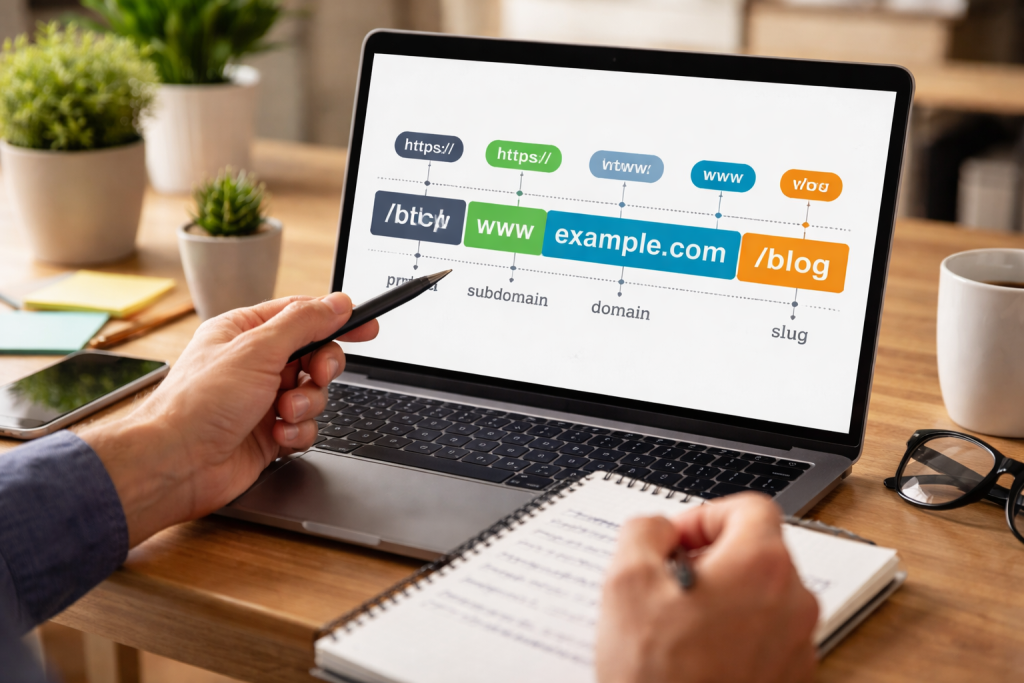
Deconstructing the Components of a URL
A URL is not a monolithic string of characters but rather a structured sequence of distinct parts. Understanding these components is crucial for both website administrators and casual users.
Scheme
The scheme, sometimes called the protocol, indicates how a web browser should retrieve the resource. The most common schemes are http Hypertext Transfer Protocol and Hypertext Transfer Protocol Secure. The https scheme signifies that the connection to the website is encrypted, offering a more secure browsing experience, particularly for sensitive information like login credentials or payment details. Other schemes exist, though they are less common in general web browsing, such as ftp File Transfer Protocol for file transfers or mailto for email addresses.
Subdomain
The subdomain is an optional part of a domain name that adds an additional layer of structure. It appears before the main domain name and is separated by a dot. For example, in blog.example.com “blog,” the subdomain is “blog.” Common subdomains include www the World Wide Web (though increasingly optional), mail for email services, or app for specific applications. Subdomains can
organize different sections of a website or distinguish between services.
Domain Name
The domain name is the core identifier of a website. An example of a human-readable name is “or.” This name corresponds to one or more IP addresses, which are the numerical identifiers that computers use to locate each other on a network. The Domain Name System (DNS) acts as a phonebook, translating domain names into IP addresses. A domain name must be unique.
Top-Level Domain (TLD)
The .edu extension is a Top-Level Domain (TLD), which is the last segment of a domain name that appears after the final dot. Examples include .com, .org, .net, .gov, and country-code TLDs like .uk or .de. TLDs are categorized into generic TLDs (gTLDs) and country-code TLDs (ccTLDs). Some TLDs have specific uses; for instance, .gov .gov is reserved for government entities and educational institutions.
Port
example, it The port number specifies the specific network port on the server where the web server application is listening for requests. While often omitted, as web browsers default to port 80 for HTTP and port 443 for HTTPS, it can be explicitly included. For example, this indicates that the request should be directed to port 8080. Non-standard ports are typically used for specific applications or development environments.
Path
The path component of a URL specifies the exact location of a resource within a website’s directory structure. It acts like a file path on a computer, indicating folders and subfolders. For example, here is the path. Each forward slash (/) indicates a new directory level. A well-designed path helps users understand the content hierarchy.
Query String
The query string is a series of key-value pairs that follow a question mark in the URL. It transmits data to the web server, typically for filtering content, tracking information, or performing searches. For instance, example.com/search?q=url+structure&category=technology uses q and category keys with their respective values. The server uses this information to deliver tailored content.
Fragment Identifier
The fragment identifier, also known as an anchor, begins with a hash symbol (#) and points to a specific section within a web page. Unlike other URL components, the fragment identifier is processed by the web browser itself and not sent to the server. For example, the fragment identifier directs the browser to the “introduction” section of the article, provided that an HTML element for that section exists on the page. It is primarily for user navigation within a document.
A well-structured URL is more than just a technical address; it is a user interface element, a navigational aid, and a signal to search engines. Poorly constructed URLs can hinder user experience and search engine optimization.
User Friendliness
Clear, readable URLs enhance the user experience. When a URL clearly describes the content of a page, users are more likely to click on it in search results or trust the link. A URL that clearly describes the content is more informative and reassuring than one that does not. Users can also interpret the URL to predict the content on the page before clicking, reducing bounce rates originating from misleading titles.
Accessibility
Well-structured URLs can contribute to accessibility. Screen readers and other assistive technologies can more easily interpret meaningful URLs, providing context to users with visual impairments. Short, descriptive URLs are also easier to communicate verbally or transcribe manually.
Shareability
URLs are frequently shared across platforms, including social media, email, and messaging apps. A clean, concise URL is easier to copy, paste, and remember. Platforms can truncate long, convoluted URLs with numerous parameters, resulting in broken links or a loss of context.
Optimizing URLs involves making them more effective for both users and search engines. It’s about clarity, consistency, and avoiding unnecessary complexity.
Use Keywords
While keyword stuffing is detrimental, incorporating relevant keywords naturally into your URLs can benefit search engine optimization (SEO). For example, it example.com/red-shoes is better than example.com/product/item-number-42. Keywords in URLs provide context to search engines about the page’s content.
Keep Them Short and Simple
Brevity is key. Long, complex URLs are difficult to read, remember, and share. Aim for URLs that are as short as possible while still being descriptive. Remove unnecessary words like “a,” “the,” and “and,” unless they are crucial for meaning.
Use Hyphens for Word Separation
Hyphens (-) are the preferred word separator in URLs. Search engines interpret hyphens as spaces between words, allowing them to better understand the content. Avoid underscores (_) or other characters, as search engines may treat them differently or combine words.
Avoid Special Characters and Uppercase Letters
Stick to lowercase letters, numbers, and hyphens. Special characters can cause issues with parsing, encoding, and compatibility across different systems. While some servers are case-insensitive, others are not, so using consistent lowercase helps prevent duplicate content issues (where example.com/Page and example.com/page are treated as two different pages).
Maintain a Logical Folder Structure
Organize your content into a hierarchical structure that makes sense. This helps users navigate your site and provides search engines with a clear understanding of your site’s architecture. For instance, it example.com/blog/category/post-title is a logical progression.
Use Canonicalization
When multiple URLs lead to the same content (e.g., example.com/page and example.com/page/index.html), use canonical tags. A canonical tag tells search engines which version is the authoritative one, preventing duplicate content penalties.
Query strings, as discussed earlier, are an integral part of many URLs, providing dynamic functionality. However, mismanagement of parameters can lead to problems.
How Parameters Work
Parameters in a query string consist of a key and a value, separated by an equals sign (=), with multiple parameters separated by an ampersand (&). For example, ?color=blue&size=large. These parameters are processed by the server-side script to alter the content presented to the user, filter results, or track user actions.
Potential Issues with Parameters
Excessive or poorly managed parameters can create several issues. They can lead to duplication if the same content is accessible via multiple URLs with different parameters. This dilutes ranking signals for search engines. Long query strings can also be difficult to read and manage.
Solutions for Parameter Management
For parameters that merely filter or sort content without changing the fundamental content of the page, search engines often recommend using canonical tags to point to the canonical version of the page without those parameters. Alternatively, the robots.txt filerobots.txt can be used to disallow crawling of URLs with specific parameters, but such actions should be done with caution to avoid blocking important content. URL rewrite rules can convert dynamic URLs with parameters into static-looking, descriptive URLs, offering benefits for both users and SEO.
A deliberate URL structure is a cornerstone of effective search engine optimization (SEO). It influences how search engines crawl, index, and rank your website. Think of your URL structure as a map for search engines; a clear map helps them navigate efficiently and understand your content.
Crawlability
Search engine crawlers, often called spiders or bots, explore websites by following links. A logical URL structure makes it easier for these crawlers to discover and index all your content. Broken links or complex URL patterns can hinder this process, causing parts of your site to be overlooked. A flat or overly deep structure without clear internal linking can also pose crawlability challenges.
Indexing
Once crawlers visit a page, they send information back to the search engine to be indexed. A descriptive URL, along with other on-page signals, helps search engines categorize and understand the content, enabling them to index it accurately. This accurate indexing means your pages are more likely to appear for relevant search queries.
Ranking Factors
While not the most powerful ranking factor, a well-structured URL contributes to overall SEO performance. It acts as a relevancy signal, indicating to search engines what the page is about. Furthermore, user experience is an indirect ranking factor, and user-friendly URLs contribute to that experience, leading to better engagement and potentially higher rankings. A clear URL also provides context in the SERPs (Search Engine Results Pages), influencing click-through rates.
Anchor Text and Backlinks
When other websites link to your content, the URL itself can be part of the anchor text, which is the clickable text of the hyperlink. A descriptive URL can naturally incorporate keywords, indirectly boosting your SEO when others link to it. For example, a link example.com/guide/beginners-seo-tips with the anchor text “beginner SEO tips” provides strong relevancy signals.
Crafting URLs that are both search engine-friendly and user-friendly requires attention to detail. It’s about designing addresses that are intuitive and informative.
Match URL to Page Content
Ensure your URL accurately reflects the content of the page. If the page is about “digital marketing strategies,” the URL should ideally include those terms, for instance. This consistency helps both users and search engines.
Avoid Redundancy
Do not stuff your URLs with unnecessary words or duplicate information already present in the domain name. If your domain is shoes.coma URL, it contains redundant information. shoes.com/red-shoes is more concise.
Consider Future Growth
Design your URL structure with scalability in mind. If you anticipate adding new categories or expanding your content, choose a structure that can accommodate these additions without requiring extensive URL changes. A flexible structure prevents the need for numerous 301 redirects later, which, although effective, can slightly dilute “link juice” and add administrative overhead.
Implement Redirects Correctly
When you do change a URL, always implement a 301 permanent redirect from the old URL to the new one. This ensures that users and search engines are seamlessly directed to the correct page, preventing broken links and preserving any SEO value accumulated by the old URL.
Test and Monitor
Regularly check your URLs for broken links or inconsistencies. Use webmaster tools to monitor how search engines are crawling and indexing your site. Observe user behavior to see if your URL structure is aiding navigation. Like any other aspect of website management, URL structure is not a “set it and forget it” task. Continuous monitoring and adjustments contribute to long-term success.
FAQs
What is a URL structure?
A URL structure refers to the way a Uniform Resource Locator (URL) is organized and formatted. It includes the protocol (such as http or https), domain name, path, and any parameters or query strings.
Why is a well-structured URL important?
A well-structured URL is important for several reasons. It helps search engines understand the content of a webpage, improves user experience, and can impact a website’s search engine optimization (SEO) performance.
What are the components of a URL?
The components of a URL include the protocol (http or https), the domain name (such as www.example.com), the path (the specific page or location on the website), and any parameters or query strings that provide additional information.
How does URL structure impact SEO?
URL structure can impact SEO by providing search engines with valuable information about the content of a webpage. A well-structured URL can improve a website’s visibility and ranking in search engine results.
What are some best practices for URL optimization?
Some best practices for URL optimization include using descriptive keywords in the URL, keeping URLs short and readable, using hyphens to separate words, and avoiding unnecessary parameters or query strings.