The Ultimate Guide to Understanding the Difference Between HTTP and HTTPS
This article explains the fundamentals of HTTP and HTTPS, their security differences, and the transition to secure web communication.
The internet functions on a set of rules that allow computers to talk to each other. These rules are called protocols. When you visit a website, your browser and the web server exchange information using these protocols. For a long time, the primary protocol was HTTP, which stands for Hypertext Transfer Protocol. Think of HTTP as the basic postal service of the internet. It allows you to send a letter (request a web page) and receive a reply (the web page itself). However, this basic postal service has no built-in security. Anyone who intercepts your mail can read its contents.
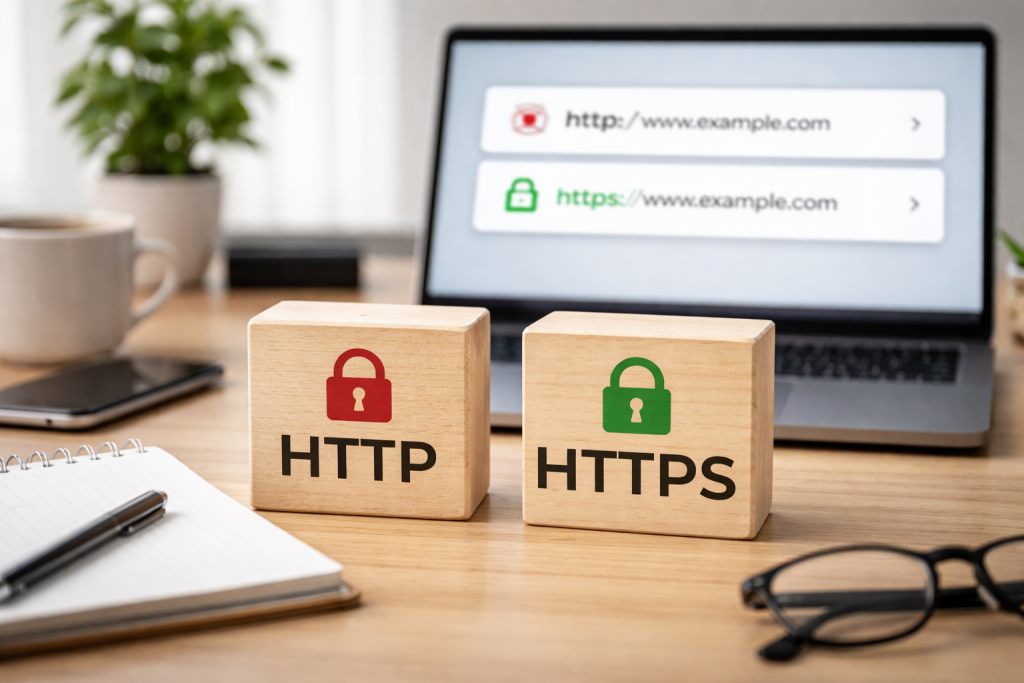
HTTPS, on the other hand, is Hypertext Transfer Protocol Secure. It’s like taking that basic postal service and adding a secure, armored van with a trusted courier. The “S” in HTTPS signifies security. This security is not optional for modern web interactions; it is a fundamental expectation. When you see “https” at the beginning of a web address and often a padlock icon in your browser’s address bar, it means the communication between your browser and the website is encrypted. Unauthorized parties find it extremely difficult to read the exchanged data due to this encryption.
The Foundation of Web Communication
At its core, HTTP is a stateless protocol. This means each request and response pair is independent of the others. The server doesn’t remember previous interactions with your browser unless specific mechanisms are implemented, such as cookies. When you type a URL into your browser or click a link, your browser sends an HTTP request to the web server hosting that page. The server then processes this request and sends back an HTTP response, which includes the content of the web page, such as text, images, and code. This process happens millions of times every second across the globe, powering our online experiences.
The communication flow is straightforward:
- Request: Your browser sends a request for a specific resource (e.g., a web page, an image).
- Response: The web server sends back the requested resource.
This fundamental exchange is the bedrock of how we navigate the web. Without it, the interactive and dynamic nature of websites would not be possible. However, the simplicity of HTTP comes with a significant drawback: a lack of confidentiality and integrity for the data being transferred.
The Role of Protocols in Data Exchange
Protocols are essentially agreements on how data should be formatted and transmitted. HTTP defines the acceptable request methods (like GET to retrieve data or POST to send information), headers, and response codes (like 200 OK for success or 404 Not Found for an unavailable page). It’s the language browsers and servers use to communicate. While effective for simple data retrieval, its limitations become apparent when dealing with sensitive information.
In an increasingly interconnected world, the information we exchange online can range from the mundane to the highly sensitive. Think about online banking, shopping, or even just logging into your email. This data forms a digital trail, and without security, that trail is vulnerable. Secure communication is no longer a luxury; it is a necessity for trust, privacy, and the integrity of online transactions.
Protecting Sensitive Information
When you transmit personal details online, such as credit card numbers, passwords, or private messages, this information travels across multiple networks before reaching its destination. If you transmit this data in plain text without encryption, anyone who intercepts it can read it. This phenomenon is akin to sending a postcard on the public postal system; anyone handling it can see the message. A malicious actor could potentially capture this data and use it for identity theft, financial fraud, or other harmful purposes. HTTPS acts as a shield, making this sensitive information unreadable to eavesdroppers.
Building Trust and Credibility
For businesses and organizations that operate online, a secure connection is a significant factor in building and maintaining user trust. When users land on a website that uses HTTPS, they are more likely to feel confident that their information is safe. This confidence translates into a better user experience and can influence purchasing decisions or the willingness to share information. Conversely, a website without HTTPS can be perceived as unprofessional or untrustworthy, potentially deterring visitors and customers. Search engines also favor secure websites, giving them a slight edge in search rankings.
Ensuring Data Integrity
Beyond confidentiality, secure communication also ensures data integrity. This implies that your browser and the server haven’t tampered with or altered the data during transit. Without integrity checks, an attacker could potentially modify the data being sent, leading to incorrect information being displayed or malicious code being injected into a legitimate web page. SSL/TLS, the technology behind HTTPS, includes mechanisms to verify that the data received is exactly the data that was sent.
The fundamental difference between HTTP and HTTPS lies in the security layer that HTTPS employs. While HTTP is an open channel, HTTPS employs a secure handshake and encryption to protect the data.
The Role of SSL/TLS
HTTPS provides security through the use of Secure Sockets Layer (SSL) or its successor, Transport Layer Security (TLS). These are cryptographic protocols that provide communication security over a computer network. When your browser connects to an HTTPS website, it initiates an SSL/TLS handshake with the server. This handshake is a complex negotiation process where the browser and server establish a secure connection.
Encryption: The Cloak of Invisibility
The most crucial aspect of SSL/TLS is encryption. Encryption is the process of converting readable data into an unreadable format, known as ciphertext, using an algorithm and a key. Only someone with the correct decryption key can convert the ciphertext back into readable data. When you visit an HTTPS website, all the data exchanged between your browser and the server is encrypted. This means that even if a hacker intercepts the communication, they will only see scrambled, unintelligible characters, not the actual information.
Authentication: Verifying the Identity
Beyond encryption, SSL/TLS also provides authentication. When you connect to an HTTPS website, your browser verifies the website’s identity through an SSL certificate. This certificate is issued by a Certificate Authority (CA), a trusted third party. The CA verifies the ownership and identity of the website owner before issuing the certificate. This helps prevent “man-in-the-middle” attacks, where an attacker impersonates a legitimate website to trick users into revealing information. Your browser checks the certificate to ensure you are communicating with the genuine website and not an imposter.
Encryption is the engine that drives HTTPS security. It’s a sophisticated mathematical process that scrambles data, making it indecipherable to anyone without the decoding key.
Symmetric vs. Asymmetric Encryption
There are two main types of encryption used in SSL/TLS: symmetric and asymmetric.
Symmetric Encryption
In symmetric encryption, the same secret key is used for both encrypting and decrypting data. Imagine having a special lock and key. You use the key to lock a box containing your message, and then you send the box. The recipient uses the exact same key to unlock the box and read the message. Symmetric encryption is fast and efficient, making it ideal for encrypting large amounts of data. However, the challenge lies in securely sharing that secret key between the sender and receiver in the first place.
Asymmetric Encryption (Public-Key Cryptography)
Asymmetric encryption, also known as public-key cryptography, solves the key distribution problem of symmetric encryption. It uses a pair of keys: a public key and a private key.
- Public Key: This key is freely shared and can be used by anyone to encrypt data intended for you.
- Private Key: This key is kept secret and is only known to you. It is used to decrypt data that was encrypted with your public key.
Think of it this way: your public key is like a mailbox slot. Anyone can drop a letter (encrypted message) into the slot. However, only you, with your private key (the key to open the mailbox), can retrieve and read the letters.
The SSL/TLS Handshake: A Secure Introduction
The SSL/TLS handshake is the process by which the browser and server establish a secure connection. It’s a multi-step negotiation that ensures both parties are legitimate and agree on how to encrypt their communication.
Here’s a simplified overview of the handshake:
- Client Hello: Your browser sends a “Client Hello” message to the server, indicating it wants to establish a secure connection. It also lists the cipher suites (encryption algorithms) it supports.
- Server Hello: The server responds with a “Server Hello,” indicating it also wants to proceed. It chooses a cipher suite from the client’s list that both can use.
- Server Certificate: The server sends its SSL certificate to the browser. The browser then verifies this certificate with the Certificate Authority.
- Key Exchange: The browser and server exchange information to generate a temporary, shared secret key. This is done using asymmetric encryption. The client uses the server’s public key to encrypt a secret key, which is then sent to the server. Only the server, with its private key, can decrypt this secret.
- Finished: Both the client and server send “Finished” messages, confirming that the handshake was successful and they are ready to communicate securely using the newly generated shared secret key for symmetric encryption.
Once the handshake is complete, all subsequent data exchanged between your browser and the server is encrypted using symmetric encryption with the shared secret key.
The distinction between HTTP and HTTPS has significant practical implications for both those who create websites and those who use them. The move toward a secure web is ongoing and impacts how we interact online.
For Website Owners
- SEO Benefits: Search engines like Google prioritize secure websites and often rank HTTPS sites higher in search results. This can lead to increased visibility and organic traffic.
- Increased Trust and Conversions: As mentioned earlier, a padlock icon and an “https” address signal to users that the site is trustworthy, which can lead to higher conversion rates for e-commerce sites and better engagement on content sites.
- Compliance Requirements: In many industries, particularly those handling sensitive customer data, using HTTPS is a regulatory requirement (e.g., PCI DSS for payment card data).
- Browser Warnings: Modern browsers are increasingly flagging HTTP sites as “Not Secure,” which can deter visitors and negatively impact a website’s reputation.
- Access to Modern Features: Many new web technologies and APIs (Application Programming Interfaces) that enhance website functionality are only available on secure HTTPS connections.
For Users
- Protection of Personal Data: This is the most crucial implication for users. HTTPS protects your login credentials, payment card details, browsing history, and other personal information from malicious interception.
- Safe Online Shopping and Banking: Using HTTPS during financial transactions is crucial to safeguard your sensitive data from theft.
- Trustworthy Information: Knowing that a website is using HTTPS can give you greater confidence in the authenticity of the information you are viewing.
- Preventing Malware Injection: Some attacks involve injecting malicious code into unencrypted HTTP connections. HTTPS helps prevent this by ensuring data integrity.
- Avoiding Browser Warnings: Users can avoid the unsettling “Not Secure” warnings in their browsers by sticking to HTTPS websites.
For website owners currently using HTTP, migrating to HTTPS is a necessary step for security, trust, and long-term success. While it might seem daunting, the process is well-documented and achievable.
Obtaining an SSL/TLS Certificate
The first step is to obtain an SSL/TLS certificate. These certificates can be acquired from various Certificate Authorities (CAs). There are different types of certificates available:
- Domain Validated (DV) Certificates: These are the most basic certificates and verify domain ownership. They are typically free or low-cost and are suitable for most websites that don’t handle highly sensitive transactions.
- Organization Validated (OV) Certificates: These require more validation of the organization’s identity and provide a higher level of trust.
- Extended Validation (EV) Certificates: These offer the highest level of validation and prominently display the organization’s name in the browser’s address bar, providing the strongest assurance of legitimacy.
Many hosting providers offer SSL certificates as part of their packages, and some even provide them for free.
Installing the Certificate
Once you have obtained a certificate, it needs to be installed on your web server. The installation process varies depending on your web server software (e.g., Apache, Nginx, IIS) and your hosting provider’s control panel. Your hosting provider should offer guidance or assistance with this step.
Redirecting HTTP to HTTPS
Once you install the certificate, it’s essential to redirect all website traffic from HTTP to HTTPS. This is typically achieved by configuring your web server to issue a 301 permanent redirect for all HTTP requests. This ensures that even if a user or a search engine tries to access your site via an old HTTP link, they will be automatically sent to the secure HTTPS version.
Updating Website Content
It’s important to review your website’s content and ensure that all internal links and resource references (like images, CSS files, and JavaScript files) point to HTTPS URLs. Mixed content warnings, where an HTTPS page loads resources over HTTP, can still cause security issues and erode user trust. Using relative URLs or ensuring all assets are served over HTTPS will prevent these warnings.
Testing the Migration
After implementing the changes, thoroughly test your website to ensure that HTTPS is working correctly. Ensure all pages load securely, that there are no mixed content warnings, and that redirects work. Tools like Qualys SSL Labs provide comprehensive SSL/TLS server tests that can help identify any security vulnerabilities or misconfigurations.
Beyond the security implemented by websites, users also play a vital role in their own online safety. Adopting good browsing habits significantly enhances your digital security.
Always look for a padlock and “HTTPS.”
As a user, the most immediate way to identify a secure connection is to look at the address bar of your web browser. If the address begins with “https://” and is accompanied by a padlock icon, the connection is secure. If you see “http://” and no padlock or a warning symbol, exercise caution, especially if you intend to share any sensitive information.
Be Wary of Public Wi-Fi
Public Wi-Fi networks, often found in cafes, airports, and hotels, can be convenient but are also prime locations for hackers to intercept data. Unless you are using a VPN (Virtual Private Network) or are certain the network is secure, avoid conducting sensitive transactions like online banking or shopping on public Wi-Fi.
Use Strong, Unique Passwords and Enable Two-Factor Authentication
While not directly related to HTTP vs. HTTPS, strong password hygiene is fundamental to online security. Use complex passwords that combine uppercase and lowercase letters, numbers, and symbols. More importantly, use a unique password for each online account. Furthermore, enable two-factor authentication (2FA) whenever possible. 2FA adds an extra layer of security by requiring a second form of verification, such as a code sent to your phone, in addition to your password. This makes it significantly harder for unauthorized individuals to access your accounts even if they obtain your password.
Keep Software Updated
Software developers frequently release updates that include security patches to fix vulnerabilities. Ensure your operating system, web browser, and any other applications you use are always up to date. This helps protect you from known exploits.
Be Cautious of Phishing Attempts
Phishing is a deceptive practice where attackers impersonate legitimate organizations to trick individuals into revealing sensitive information. Be skeptical of unsolicited emails, messages, or calls asking for personal details, especially if they create a sense of urgency or offer something too good to be true. Always verify the sender’s identity through a separate, trusted channel before clicking on links or providing any information. When in doubt, it’s better to err on the side of caution.
FAQs
1. What is the difference between HTTP and HTTPS?
HTTP (Hypertext Transfer Protocol) is a protocol used for transmitting data over the internet, while HTTPS (Hypertext Transfer Protocol Secure) is a secure version of HTTP that encrypts the data being transmitted.
2. Why is secure communication important?
Secure communication is important because it ensures that sensitive information, such as personal data and financial details, is protected from unauthorized access and interception by malicious third parties.
3. How do HTTP and HTTPS differ in security?
HTTP does not encrypt the data being transmitted, making it vulnerable to interception, while HTTPS uses encryption to secure the data, providing a higher level of security for users.
4. What is the encryption process for HTTPS?
HTTPS uses SSL/TLS (Secure Sockets Layer/Transport Layer Security) to encrypt the data being transmitted, creating a secure connection between the user’s browser and the website’s server.
5. What are the implications for website owners and users when switching from HTTP to HTTPS?
For website owners, making the switch to HTTPS can improve security, build trust with users, and potentially improve search engine rankings. For users, HTTPS provides assurance that their data is secure and protected while browsing the website.