The Ultimate Beginner’s Guide to VPN: What It Is and How It Works
A Virtual Private Network, or VPN, is a tool that can alter your internet connection and enhance your privacy. This guide will explain what a VPN is, how it functions, and its potential applications.
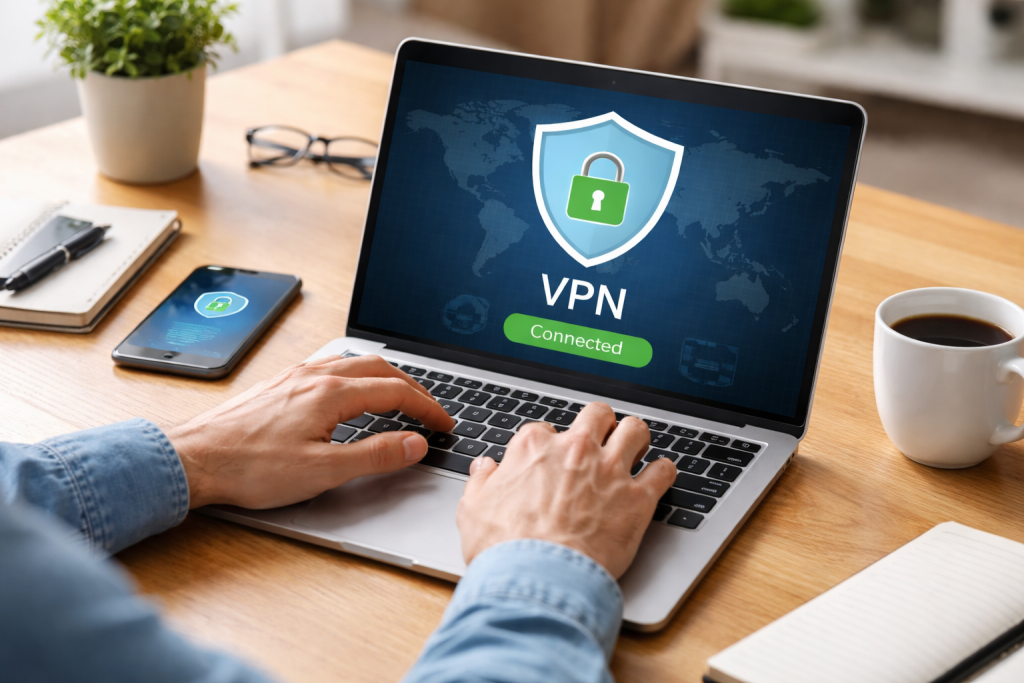
Understanding the Basics of VPNs
What is a VPN?
A VPN creates a secure, encrypted connection over the public internet. Think of it as a private, underground tunnel for your internet traffic. Instead of your data traveling openly on the vast public highway of the internet, it’s rerouted through this secure tunnel directly to its destination. This tunnel protects your data from prying eyes, such as internet service providers (ISPs), governments, or malicious actors on the same network.
The Analogy of the Tunnel
Imagine you want to send a sensitive document across town. You could:
- Send it via regular mail: This is like browsing the internet without a VPN. Anyone handling the mail can potentially read your document.
- Send it via a courier with an armored car: This is akin to using a VPN. The armored car (the VPN tunnel) protects the document (your data) from being intercepted or tampered with during transit. The courier picks up your document, places it in the armored car, drives it to its destination, and then delivers it.
Key Components of a VPN
A VPN service generally involves two main components:
- VPN Client: This is the software you install on your device (computer, smartphone, tablet). It initiates the connection to the VPN server and encrypts your data.
- VPN Server: This is a server operated by your VPN provider. Your encrypted data travels to this server, is decrypted, and then sent to its intended online destination. The VPN server also receives the response and sends it back to your device, encrypted.
How a VPN Works: The Technical Details
The Encryption Process
When you activate a VPN, your device establishes a connection with a VPN server. Before any data leaves your device, it undergoes an encryption process. This process scrambles your data using complex algorithms, making it unreadable to anyone without the correct decryption key. This is like taking a message written in English and transforming it into a secret code. Only someone with the decoder ring (the decryption key) can understand the original message.
Tunneling Protocols
VPNs utilize various tunneling protocols to establish and maintain the secure connection. Some common protocols include:
- OpenVPN: Known for its security, versatility, and speed. It is an open-source protocol and is widely considered one of the best choices for VPNs.
- IKEv2/IPsec: A robust and secure protocol, often favored for its stability and ability to quickly re-establish connections after network disruptions, making it ideal for mobile devices switching between Wi-Fi and cellular data. IPsec (Internet Protocol Security) is a suite of protocols used to secure internet communications.
- WireGuard: A newer protocol known for its simplicity, speed, and modern cryptography. It aims to be more efficient and easier to audit than older protocols.
- L2TP/IPsec: A combination of protocols that provides a good balance of security and speed, though it can sometimes be slower than OpenVPN or WireGuard due to double encapsulation.
- PPTP: One of the oldest protocols, it is generally considered insecure and is not recommended for most uses due to known vulnerabilities.
The choice of protocol can affect the speed and security of your VPN connection.
IP Address Masking
When you connect to the internet without a VPN, your device is assigned an IP address by your ISP. This IP address acts like a digital return address, identifying your device and its approximate location. A VPN masks your real IP address by replacing it with the IP address of the VPN server you are connected to. This makes it appear as though your internet traffic is originating from the VPN server’s location.
Analogy: Imagine you’re sending a postcard. Without a VPN, your return address is clearly visible. With a VPN, you’re essentially putting the postcard inside an envelope with a different return address before mailing it. The recipient sees the envelope’s return address, not yours.
This IP address masking is a fundamental aspect of VPN privacy.
Benefits of Using a VPN
Enhancing Online Privacy
One of the primary reasons people use VPNs is to enhance their online privacy. By encrypting your internet traffic and masking your IP address, a VPN makes it much harder for third parties to track your online activities. This includes:
- Your ISP: Your Internet Service Provider can see and often log every website you visit, every file you download, and every service you use. A VPN prevents your ISP from seeing this information, as they will only see encrypted traffic going to a VPN server.
- Websites and Online Services: Websites you visit can track your behavior using your IP address. Masking your IP address makes it more difficult and less precise for them to build a detailed profile of your online habits.
- Advertisers: Online advertisers use your IP address and browsing history to deliver targeted ads. By obscuring your IP, you can reduce the accuracy of such targeting.
- Government Surveillance: In some regions, governments engage in extensive online surveillance. A VPN can offer a layer of protection against such monitoring, though it is not a foolproof solution against sophisticated state-level actors.
Improving Online Security
Beyond privacy, VPNs also contribute to online security, especially when using public Wi-Fi.
- Public Wi-Fi Vulnerabilities: Public Wi-Fi hotspots in cafes, airports, and hotels are notoriously insecure. They are often unencrypted, meaning anyone on the same network can potentially intercept your data. Using a VPN on public Wi-Fi encrypts your connection, making your data unreadable even if it is intercepted. This is like having a private conversation in a crowded room, ensuring only the intended recipient can understand what you’re saying.
- Protection Against Man-in-the-Middle Attacks: These attacks involve an attacker intercepting communication between two parties. A VPN’s encrypted tunnel helps prevent such interception by making the data unintelligible to the attacker.
- Secure Remote Access: Businesses often use VPNs to allow employees to securely access company networks and resources remotely. This ensures that sensitive corporate data remains protected even when accessed from outside the office.
Circumventing Geo-Restrictions and Censorship
VPNs can be used to bypass geographical restrictions imposed by websites and streaming services, as well as to overcome internet censorship.
- Accessing Geo-Blocked Content: Many streaming services (e.g., Netflix, BBC iPlayer) offer different content libraries based on your geographical location. By connecting to a VPN server in a different country, you can make it appear as if you are browsing from that country and potentially access its local content.
- Bypassing Censorship: In countries where internet access is heavily controlled, certain websites or online services may be blocked. A VPN can route your traffic through servers in countries with less restrictive internet policies, allowing you to access blocked content and information. This is akin to using a hidden passageway to get to a location that is otherwise blocked off.
- Online Gaming: Some gamers use VPNs to access game servers in different regions or to protect themselves from DDoS (Distributed Denial of Service) attacks that can disrupt online gameplay.
Choosing and Using a VPN
What to Look for in a VPN Provider
With numerous VPN providers available, selecting the right one is crucial for an effective and trustworthy service. Consider the following factors:
- No-Logs Policy: A reputable VPN provider should have a strict no-logs policy, meaning they do not record your online activities, browsing history, or connection timestamps. Transparency about data collection practices is essential. Look for providers that have undergone independent audits to verify their no-logs claims.
- Server Network: A wide range of server locations provides more options for bypassing geo-restrictions and finding faster connections. Consider the number of servers and their geographical distribution.
- Security Features: Ensure the VPN offers strong encryption (e.g., AES-256, which is considered a military-grade standard) and supports robust tunneling protocols (like OpenVPN, IKEv2, or WireGuard). Features like a kill switch, which automatically disconnects your internet if the VPN connection drops, are also important for preventing data leaks.
- Speed and Performance: VPNs can sometimes slow down your internet connection due to encryption and routing. Look for providers known for their speed and efficiency. Many offer free trials or money-back guarantees so you can test their performance.
- User-Friendliness: The VPN client software should be easy to install and use on all your devices. A clear and intuitive interface is beneficial, especially for beginners.
- Customer Support: Reliable customer support can be invaluable if you encounter technical issues or have questions. Look for providers that offer 24/7 support through various channels like live chat or email.
- Pricing and Payment Options: VPN services vary in price. Consider your budget and compare the features offered by different providers. Be wary of entirely free VPNs, as they often have limitations in speed or security or may monetize user data.
How to Set Up and Connect to a VPN
The setup process for most VPN services is generally straightforward:
- Choose a VPN Provider and Sign Up: Select a reputable VPN provider based on your needs and sign up for a subscription.
- Download and Install the VPN App: Download the VPN client application for your specific device (Windows, macOS, iOS, Android, or Linux).
- Log In to the App: Open the app and log in using your account credentials.
- Select a Server Location: Choose a server location from the list provided by the VPN app. This will determine the IP address you appear to be using.
- Connect to the VPN: Click the “Connect” button within the app. Once connected, your internet traffic will be routed through the VPN server.
- Verify Your Connection: You can typically check your IP address on a website like “WhatIsMyIP.com” to confirm that it has changed to the IP address of your chosen VPN server.
VPN on Different Devices
VPNs can be used on a wide range of devices:
- Computers (Windows, macOS, Linux): Download and install the dedicated VPN client for your operating system.
- Smartphones and Tablets (iOS, Android): Install the VPN provider’s app from your device’s app store.
- Routers: Some VPN providers allow you to set up the VPN directly on your home router. This protects all devices on your home network without needing to install individual apps on each device. This can be more complex to set up but offers comprehensive protection.
- Smart TVs and Streaming Devices: While direct app installation might not always be available, you can often connect these devices to a VPN-enabled router or use features like Smart DNS provided by some VPN services.
Potential Drawbacks and Limitations of VPNs
| VPN Provider | Number of Servers | Encryption Type | Supported Devices |
|---|---|---|---|
| ExpressVPN | 3000+ | AES-256 | Windows, Mac, iOS, Android, Linux |
| NordVPN | 5000+ | AES-256 | Windows, Mac, iOS, Android, Linux |
| Surfshark | 3200+ | AES-256 | Windows, Mac, iOS, Android, Linux |
Not a Complete Anonymity Solution
While VPNs significantly enhance privacy, they do not offer absolute anonymity.
- Provider Trust: You are entrusting your internet traffic to your VPN provider. If a VPN provider keeps logs, or if their security is compromised, your data could still be exposed. This underscores the importance of choosing a trustworthy provider with a strong no-logs policy and a proven track record.
- Website Tracking Cookies and Browser Fingerprinting: Websites can still track your activity through methods like cookies, browser fingerprinting, and account logins, even when using a VPN.
- Malware and Phishing: A VPN does not protect you from malware infections or phishing scams. You must still practice safe browsing habits and use other security measures.
Impact on Internet Speed
As mentioned, the encryption and routing process can introduce overhead, potentially leading to slower internet speeds. The degree of speed reduction depends on the VPN protocol used, the server load, the distance to the VPN server, and your original internet connection speed.
Cost of Service
While some free VPNs exist, they often come with significant limitations in terms of speed, data usage, server availability, and security. Reputable VPN services typically require a paid subscription. The cost can be a barrier for some users, although many offer affordable plans.
Legal and Ethical Considerations
The legality of VPN use varies by country. In most Western countries, VPNs are legal and used for legitimate purposes. However, some countries restrict or outright ban their use, particularly if they are seen as tools for circumventing censorship or engaging in illegal activities. It is important to be aware of the laws in your jurisdiction.
Furthermore, while VPNs can be used to access geo-restricted content, this may violate the terms of service of the streaming provider. Using a VPN for illegal activities is still illegal, and the VPN provider may be compelled to cooperate with law enforcement if they possess any logs or identifying information.
Conclusion: Is a VPN Right for You?
A Virtual Private Network is a powerful tool that can significantly improve your online privacy and security. By encrypting your internet connection and masking your IP address, it acts as a shield against various online threats and trackers.
Whether a VPN is “right” for you depends on your individual needs and concerns. If you frequently use public Wi-Fi, want to enhance your privacy from your ISP and advertisers, or wish to bypass geo-restrictions, a VPN can be a valuable asset. However, it’s essential to understand its limitations and choose a reputable provider to maximize its benefits. Remember, a VPN is one layer of defense in a multi-faceted approach to online security and privacy. By making informed choices about your online behavior and the tools you use, you can navigate the internet with greater confidence and security.
FAQs
What is a VPN?
A VPN, or Virtual Private Network, is a technology that allows you to create a secure connection to another network over the internet. It can be used to access region-restricted websites, protect your browsing activity from prying eyes on public Wi-Fi, and more.
How does a VPN work?
When you connect to a VPN, it creates an encrypted tunnel for your data to pass through, keeping your online activity secure and private. The VPN server acts as a middleman between your device and the internet, masking your IP address and location.
Why should I use a VPN?
Using a VPN can help protect your online privacy and security by encrypting your internet connection. It can also allow you to access geo-restricted content, bypass censorship, and protect your data when using public Wi-Fi networks.
Are there any downsides to using a VPN?
While VPNs offer many benefits, they can sometimes slow down your internet connection due to the encryption process. Additionally, some websites and services may block or restrict access to users using VPNs.
How do I choose the right VPN for me?
When choosing a VPN, consider factors such as speed, server locations, security features, and privacy policies. It’s important to research and compare different VPN providers to find one that meets your specific needs.