Fortify Your Email Account: Expert Advice on Preventing Unauthorized Access
Understanding the Stakes: Why Email Security Matters
Your email account is a central hub for your digital life. It serves as the primary recovery mechanism for most other online services, from banking and social media to e-commerce and cloud storage. A compromise of your email account can therefore cascade into a full-scale digital identity theft, financial fraud, and significant personal data exposure. This article provides expert-driven strategies to fortify your email account against unauthorized access, outlining practical steps you can implement to bolster your defenses.
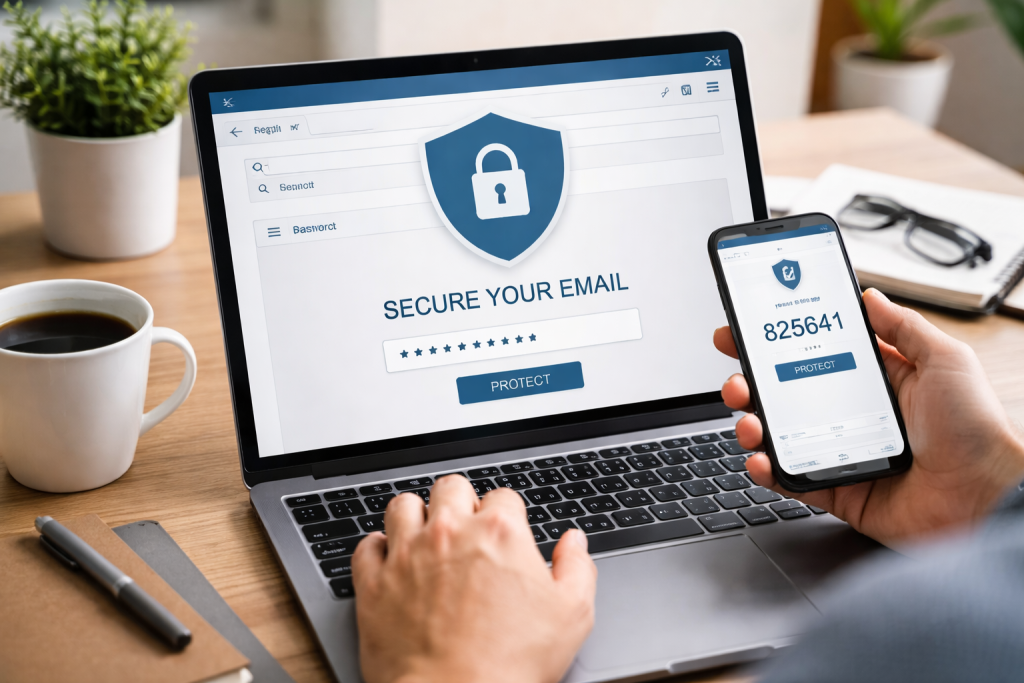
The Email Account as a Digital Keystone
Consider your email account the keystone of your digital arch. If this keystone crumbles, the entire structure of your online presence risks collapse. Attackers primarily target email accounts to gain access to password reset functions for other services, intercept sensitive communications, exfiltrate personal data, and launch phishing campaigns from a trusted source. The implications extend beyond individual inconvenience, potentially impacting professional relationships and financial well-being.
Common Threats to Email Security
Understanding common attack vectors is crucial for building effective defenses. These threats range from unsophisticated attempts to highly targeted campaigns.
- Phishing: This involves deceptive attempts to acquire sensitive information, such as usernames, passwords, and credit card details, by masquerading as a trustworthy entity in an electronic communication. These often appear as legitimate emails from banks, internet service providers, or even colleagues.
- Malware: Malicious software, including spyware and keyloggers, can be installed on your device through various means, such as infected attachments or compromised websites. This software can then capture your login credentials as you type them.
- Brute-Force Attacks: These automated attempts involve systematically trying every possible combination of characters to guess your password. While less effective against strong passwords, they can succeed if passwords are weak or common.
- Credential Stuffing: This method leverages lists of usernames and passwords obtained from data breaches on other websites. If you reuse passwords across multiple services, a breach on one site can compromise your email account.
- Social Engineering: Attackers manipulate individuals into divulging confidential information, often by exploiting trust or psychological vulnerabilities. This can involve impersonating a technical support representative or a known associate.
Building a Robust Defense: Core Security Practices
Effective email security is a multi-layered approach. No single solution offers absolute protection, but a combination of strategies significantly reduces your vulnerability.
Strong, Unique Passwords
Your password is the first line of defense. A weak or reused password is an open invitation for attackers.
- Complexity: A strong password incorporates a mix of uppercase and lowercase letters, numbers, and symbols. Aim for a minimum length of 12-16 characters. Longer passwords offer greater resistance to brute-force attacks.
- Uniqueness: Never reuse passwords across different online services. If one service is compromised, all accounts using that same password become vulnerable. Use a password manager to securely generate and store unique, complex passwords.
- Randomness: Avoid using easily guessed information, such as birthdates, pet names, or sequential numbers. Random combinations are significantly more secure. Your password is a digital key; don’t use the same one for every lock or make it easy to copy.
Implementing Multi-Factor Authentication (MFA)
MFA, sometimes referred to as two-factor authentication (2FA), adds a crucial layer of security by requiring a second form of verification beyond your password. This makes it significantly harder for unauthorized individuals to access your account, even if they have obtained your password.
- Types of MFA:
- SMS Codes: A one-time code is sent to your registered mobile phone. While convenient, this method can be susceptible to SIM swap attacks.
- Authenticator Apps: Apps like Google Authenticator or Authy generate time-based one-time passwords (TOTPs) that refresh every 30-60 seconds. This method is generally more secure than SMS codes.
- Security Keys: Physical hardware devices, such as YubiKey or Google Titan Security Key, provide the highest level of MFA security. These devices use cryptographic protocols to verify your identity.
- account andEnabling MFA: Most major email providers offer MFA options within their security settings. Prioritize enabling MFA on your primary email account, and subsequently for any other online services that offer it.
Vigilance and Proactive Measures
While strong authentication is essential, maintaining a vigilant posture and taking proactive steps are equally important in preventing unauthorized access.
Recognizing and Avoiding Phishing Attempts
Phishing remains one of the most prevalent and effective attack methods. Developing a critical eye is paramount.
- Sender Verification: Always scrutinize the sender’s email address. Hover over the sender’s name to reveal the actual email address, which often differs from the displayed name in phishing attempts. Look for subtle misspellings or unusual domain names.
- Suspicious Links: Before clicking any link, hover over it (without clicking) to reveal the actual URL. Be wary of shortened URLs or those that don’t match the expected destination. If in doubt, type the legitimate website address directly into your browser.
- Urgent or Threatening Language: Phishing emails often use emotionally charged language to create a sense of urgency or fear, pressuring you to act immediately without critical thought. Examples include threats of account suspension, legal action, or claims of urgent financial transactions.
- Grammar and Spelling Errors: While not a definitive indicator, many phishing emails contain noticeable grammatical mistakes or spelling errors, which legitimate organizations typically avoid.
- Unexpected Attachments: Be extremely cautious about opening unexpected email attachments, even if they appear to come from a known sender. Attachments can contain malware. If an attachment is unexpected, verify its legitimacy with the sender through an alternative communication channel (e.g., a phone call).
Keeping Software Updated
Software vulnerabilities are frequently exploited by attackers. Maintaining up-to-date operating systems, web browsers, and antivirus software is a fundamental security practice.
- Operating System (OS) Updates: Enable automatic updates for your Windows, macOS, or Linux operating system. These updates often include critical security patches that address newly discovered vulnerabilities.
- Browser Updates: Keep your web browser (Chrome, Firefox, Edge, Safari) updated. Browsers are frequently targeted by attackers, and updates often include protections against emerging threats.
- Antivirus/Anti-Malware Software: Install and maintain reputable antivirus or anti-malware software on all your devices. Configure it to perform regular scans and ensure its definitions are always up-to-date. This software acts as a gatekeeper, identifying and quarantining malicious files.
Monitoring and Recovery: Post-Compromise Protocols
Even with the strongest defenses, a breach is always a possibility. Knowing how to monitor your account and what steps to take after a suspected compromise is crucial for minimizing damage.
Regularly Reviewing Account Activity
Many email providers offer tools to review recent activity, providing a digital paper trail of logins and other actions.
- Login History: Periodically check your email provider’s security settings for a “recent activity” or “login history” section. Look for unfamiliar IP addresses, locations, or devices accessing your account.
- Sent Items and Trash: Review your “Sent Mail” and “Trash” folders for any messages you didn’t send or delete. A compromised account might be used to send spam or phishing emails to your contacts.
- Account Settings Changes: Verify that no unauthorized changes have been made to your email forwarding rules, recovery email addresses, or phone numbers. Attackers often modify these settings to maintain access or redirect communications.
Establishing Robust Recovery Options
If you lose access to your email account, well-configured recovery options are your lifeline.
- Secondary Email Address: Provide a separate, secure secondary email address that you actively monitor. This address should ideally be protected by MFA.
- Recovery Phone Number: Link a current and secure phone number to your account. Ensure this number is not easily susceptible to SIM swap fraud.
- Security Questions: When setting up security questions, choose answers that are not publicly available or easily guessable. Avoid common questions like “What is your mother’s maiden name?” if that information is easily found online. Some providers allow you to create custom security questions, which can be more secure.
- Backup Codes for MFA: Many MFA systems provide one-time backup codes in case you lose access to your authenticator device or phone. Store these codes securely, preferably offline in a physical safe or an encrypted drive, separate from your primary devices.
What to Do in Case of Compromise
Immediate action is critical if you suspect your email account has been compromised.
- Change Password Immediately: If you still have access, change your email password to a new, strong, and unique password.
- Enable MFA (if not already): If you haven’t already, enable Multi-Factor Authentication immediately.
- Review and Revoke Third-Party Access: Check your email provider’s settings for any third-party applications or services that have been granted access to your email. Revoke access for anything suspicious or unfamiliar.
- Notify Contacts: Inform your contacts that your email account may have been compromised and to be wary of any suspicious emails originating from your address. This helps prevent the spread of phishing or malware.
- Scan Your Devices: Run a full scan with up-to-date antivirus/anti-malware software on all your devices to detect and remove any potential malware.
- Contact Your Email Provider: If you are locked out of your account, follow your email provider’s account recovery process. This usually involves contacting their support team and providing verification information.
- Monitor Other Accounts: Review activity on other linked online accounts (banking, social media, e-commerce) for any unusual activity. Change their passwords, especially if you reused passwords that were also used for your compromised email.
- Report Identity Theft: If financial information or personally identifiable information was exposed, consider reporting it to relevant authorities or credit bureaus if you suspect identity theft.
Advanced Protections and Considerations
For those seeking even higher levels of security, or for individuals with a higher threat profile, advanced measures can further harden email defenses.
Encrypted Email Solutions
For highly sensitive communications, consider using end-to-end encrypted email services.
- ProtonMail/Tutanota: Services like ProtonMail and Tutanota offer built-in end-to-end encryption, meaning that only the sender and intended recipient can read the content of the emails. Even the email provider cannot access the unencrypted content. This is a significant step beyond standard email services, which typically only encrypt data in transit (TLS) but store it unencrypted on their servers.
- PGP/GPG: Pretty Good Privacy (PGP) and GNU Privacy Guard (GPG) are cryptographic programs that provide cryptographic privacy and authentication for data communication. They allow users to encrypt and decrypt emails, making them unreadable to unauthorized parties. Implementing PGP/GPG requires a greater degree of technical proficiency but offers robust protection.
Dedicated Email for Sensitive Accounts
Consider setting up a separate, highly secured email account specifically for critical services like banking, financial institutions, and government accounts.
- Isolation: This approach isolates your most sensitive digital interactions from your primary, more frequently used email address. If your primary email were compromised due to a phishing attack or data breach, your critical accounts would remain protected.
- Strongest MFA: This dedicated email should be protected with the strongest available MFA, such as a hardware security key.
- Minimal Use: Use this dedicated email sparingly and only for its intended purpose. Avoid using it for newsletters, social media, or general correspondence.
Regular Security Audits
Periodically review and adjust your security settings for all your online accounts, not just email.
- Password Audit: Use a password manager to identify weak or reused passwords across all your accounts. Make a plan to systematically update them.
- Privacy Settings: Review the privacy settings on your social media and other online accounts to limit the amount of personal information that is publicly available. Less public information means fewer data points for social engineers to exploit.
- Device Security: Ensure all your devices (computers, smartphones, tablets) are secured with strong passwords or biometrics and that their operating systems and applications are kept updated.
Conclusion
Securing your email account is not a one-time task but an ongoing process requiring vigilance and proactive engagement. By meticulously implementing strong, unique passwords, activating multi-factor authentication, recognizing and avoiding phishing attempts, and maintaining updated software, you can significantly enhance your email’s resilience against unauthorized access. Remember that your email account is the digital key to your online identity; safeguarding it is paramount to protecting your broader digital life. Embrace these practices as a fundamental component of your personal cybersecurity hygiene.
FAQs
What are some common methods used by hackers to gain unauthorized access to email accounts?
Some common methods used by hackers to gain unauthorized access to email accounts include phishing, malware, password guessing, and social engineering.
How can I fortify my email account to prevent unauthorized access?
To fortify your email account, you can enable two-factor authentication, use strong and unique passwords, regularly update your security software, be cautious of suspicious emails and links, and regularly monitor your account for any unusual activity.
What is two-factor authentication, and how does it help prevent unauthorized access to email accounts?
Two-factor authentication is a security process that requires users to provide two different authentication factors to verify themselves. This typically involves something the user knows (like a password) and something the user has (like a mobile device). This extra layer of security helps prevent unauthorized access to email accounts.
Why is it important to use strong and unique passwords for email accounts?
Using strong and unique passwords for email accounts is important because it makes it more difficult for hackers to guess or crack the password. This helps prevent unauthorized access to the account and protects sensitive information.
What should I do if I suspect that my email account has been accessed by unauthorized individuals?
If you suspect that your email account has been accessed by unauthorized individuals, you should immediately change your password, enable two-factor authentication if not already enabled, review your account settings and security options, and report any suspicious activity to your email provider.