Social Media Security 101: How to Safeguard Your Accounts from Cyber Threats
Social media platforms serve as conduits for communication, information sharing, and community building. However, their widespread use also makes them attractive targets for malicious actors seeking to exploit vulnerabilities. Safeguarding social media accounts requires a proactive and multi-layered approach, akin to reinforcing the walls of a digital home against unwelcome intruders. This guide provides fundamental principles and practical steps for enhancing social media security.
Understanding the Threat Landscape
Like any uncharted territory, the digital realm is rife with various dangers. Cyber threats to social media accounts manifest in several forms, each with its modus operandi. Awareness of these threats is the first line of defense, allowing individuals to recognize potential pitfalls.
Common Cyber Threats
- Phishing: This is a common tactic where attackers impersonate legitimate entities, such as social media platforms, banks, or well-known brands, to trick users into divulging sensitive information like login credentials or credit card details. These phishing attempts often arrive via emails, direct messages, or fake login pages designed to mimic authentic ones. The goal is to catch users off guard, like a fisherman casting a wide net hoping for an unsuspecting catch.
- Malware: Malicious software, including viruses, worms, Trojans, and spyware, can infiltrate devices through infected links, email attachments, or compromised software downloads. Once on a device, malware can steal data, grant remote access to attackers, or disrupt system functionality. Imagine a Trojan horse, appearing innocuous but harboring destructive intent within.
- the spreadAccount Takeover (ATO): This scenario occurs when an unauthorized party gains control of a user’s social media account. This type of attack can happen through compromised credentials, brute-force attacks (repeatedly guessing passwords), or exploiting security weaknesses. An ATO can lead to identity theft, the spread of misinformation, financial fraud, or the dissemination of malicious content from the compromised account. Someone else steals and uses a hijacked account as a digital identity for their nefarious purposes.
- Doxing: This type of crime involves the public release of private or identifying information about an individual without their consent. This information can include real names, addresses, phone numbers, workplaces, and other personal details, often with the intent to harass, intimidate, or shame. The consequences can range from online harassment to real-world danger.
- Wolves, impersonation, and fake accounts: Malicious actors create fake profiles to deceive users, spread disinformation, or conduct scams. These accounts can mimic friends, family members, or public figures to gain trust and influence. They are like wolves in sheep’s clothing, designed to blend in and exploit trust.
The Value of Social Media Data
Social media platforms store a wealth of personal information. This data, when falling into the wrong hands, can be exploited for various purposes, including identity theft, targeted advertising fraud, blackmail, or even to build detailed profiles for more sophisticated attacks. Your online persona, carefully crafted over time, becomes a valuable commodity in the digital black market.
Strengthening Your Defenses: Account Security Fundamentals
Establishing a robust security posture for your social media accounts requires a commitment to fundamental practices. These actions form the bedrock of your digital protection.
The Power of Strong Passwords
Creating a strong password serves as the primary and potentially most significant safeguard. It acts as the key to your digital domicile.
- Complexity: Aim for passwords that are at least 12 characters long and include a mix of uppercase and lowercase letters, numbers, and symbols. Avoid common or easily guessed words, names, or dates.
- Uniqueness: Never reuse passwords across different accounts. Should an attacker compromise one account, they could potentially gain access to all others using the same credentials.
- Password Managers: Consider using a reputable password manager. These tools generate and store complex, unique passwords for each of your online accounts, requiring you to remember only one master password. This technique is like having a master key that unlocks all your individual safe deposit boxes, and the master key itself is exceptionally difficult to forge.
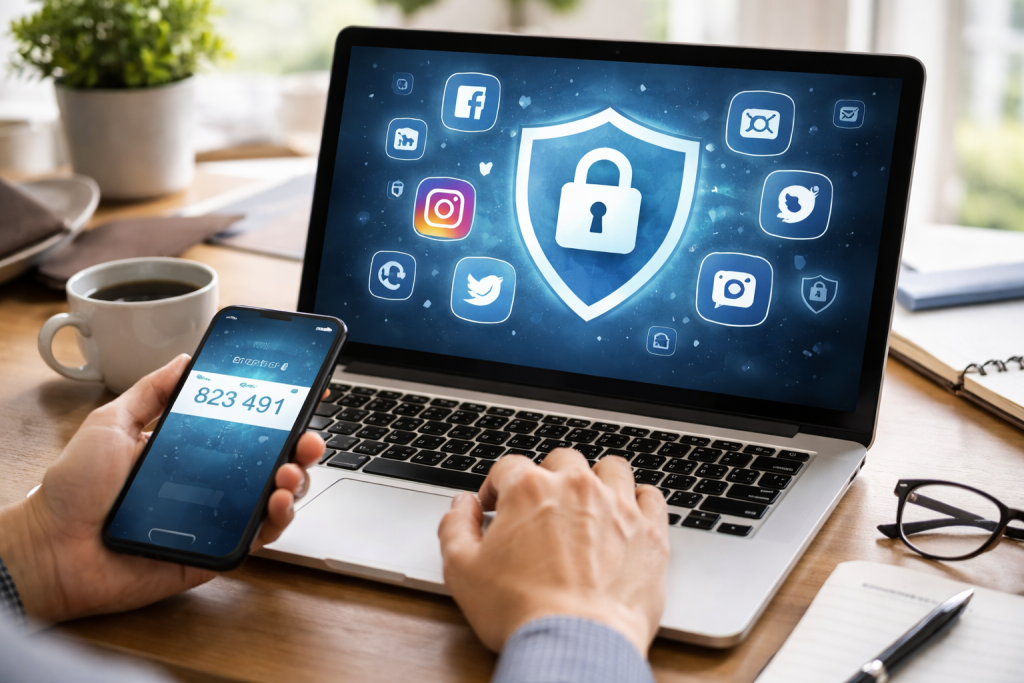
Multi-Factor Authentication (MFA)
MFA adds an extra layer of security, requiring more than just a password to log in. It’s like having a second lock on your door that requires a separate key or code.
- How it Works: When you attempt to log in, in addition to your password, you will be prompted to provide a second form of verification. This could be a code sent to your registered phone number, an authenticator app on your smartphone, or a physical security key.
- Benefits: Even if an attacker obtains your password, they will still need the second factor to gain access, significantly reducing the risk of unauthorized entry.
- Implementation: Most major social media platforms offer MFA options. Explore the security settings of each platform and enable MFA wherever possible.
Vigilance Against Phishing Attempts
Recognizing and avoiding phishing attempts is a critical skill for any social media user.
- Scrutinize Communications: Be suspicious of unsolicited messages, emails, or links, especially if they request personal information or create a sense of urgency.
- Verify Sources: If a message appears to be from a legitimate company or platform, verify its authenticity by visiting the official website directly (rather than clicking on a link in the message) or by contacting the company through official channels.
- Check URLs: Hover over links before clicking to see the actual web address. Phishing sites often use slightly altered URLs to trick users.
Navigating Privacy Settings: Controlling Your Digital Footprint
Social media platforms offer granular control over who sees your information. Properly configuring these settings is essential for managing your digital footprint.
Understanding Privacy Options
Most social media platforms provide extensive privacy settings that allow you to control various aspects of your account, from who can see your posts to who can tag you.
- Audience Control: For each post or update, you can typically choose the audience that can view it (e.g., Public, Friends, Friends of Friends, Custom Lists). Regularly review these settings to ensure they align with your desired level of privacy.
- Tagging Settings: Configure who can tag you in photos and posts. Unwanted tags can expose you to content you don’t wish to be associated with or lead to further privacy breaches.
- Profile Visibility: Determine whether your profile is visible to everyone or only to your connections. This affects how easily others can find and learn about you.
Managing Third-Party App Access
Many social media platforms allow you to connect with third-party applications and services. While these can offer added functionality, they also represent potential security risks.
- Granting Permissions: When you connect an app to your social media account, you are granting it certain permissions. Carefully review the permissions requested before granting access. Could you please consider whether you genuinely require an app to post on your behalf or access your friend list?
- Regular Audits: Periodically review the list of applications connected to your social media accounts. Revoke access for any apps you no longer use or trust. This is like checking your digital guests and kicking out those who misbehave or overstay.
Proactive Security Measures
Beyond basic account settings, several proactive steps can further fortify your social media security. These are the ongoing maintenance tasks that keep your digital defenses strong.
Keeping Software Updated
Software updates often contain critical security patches that address newly discovered vulnerabilities.
- Operating System and Browser: Ensure your computer’s operating system and web browser are always up to date. These are often the primary entry points for malware.
- Social Media Apps: Keep your social media applications on your mobile devices updated to the latest versions. Developers release updates to fix bugs and enhance security.
Securing Connected Devices
The devices you use to access social media are extensions of your digital presence.
- Device Passcodes/Biometrics: Use strong passcodes or biometric authentication (fingerprint, facial recognition) on your smartphones and tablets.
- Anti-Malware Software: Install and maintain reputable anti-malware software on your computers and mobile devices.
- Public Wi-Fi Caution: Be cautious when accessing social media on public Wi-Fi networks, as these can be less secure and more susceptible to interception. Consider using a Virtual Private Network (VPN) for added encryption.
Responding to Security Incidents
“`html
| Topic | Metrics |
|---|---|
| Number of Social Media Accounts | 5 |
| Number of Cyber Threats Detected | 12 |
| Security Measures Implemented | Multi-factor authentication, Regular password updates, Security software |
| Training Sessions Conducted | 3 |
“`
Despite your best efforts, security incidents can still occur. Knowing how to respond effectively can mitigate damage and help you regain control.
Recognizing a Compromise
Several signs might indicate that your account has been compromised.
- Unusual Activity: Notice posts, messages, or login attempts that you did not initiate.
- Password Changes: If you receive notifications that your password has been changed and you did not make the change.
- Friend Requests/Messages from Unknown Sources: New friends appearing on your list or receiving strange messages that seem out of character for your connections.
- Account Lockouts: Sudden inability to log in to your account.
Reporting and Recovery Steps
If you suspect your account has been compromised, act swiftly.
- Report to the Platform: Use the platform’s built-in reporting mechanisms to flag suspicious activity or a suspected takeover. Most platforms have dedicated channels for security issues.
- Change Passwords Immediately: If you can still access your account, change your password and the passwords of any other accounts that use the same credentials.
- Review Account Activity: Scrutinize your account for any unauthorized posts, messages, or changes to your profile information.
- Enable MFA: If you haven’t already, enable multi-factor authentication as soon as possible.
- Notify Contacts: Inform your friends and followers about the potential compromise, advising them to be wary of any suspicious messages originating from your account. This is like sounding the alarm to your neighbors so they can be on the lookout.
- Seek Platform Support: Follow the platform’s specific recovery procedures for compromised accounts. This often involves verifying your identity.
By embracing these fundamental principles and maintaining a proactive approach, you can significantly enhance the security of your social media accounts. Remember that digital security is an ongoing process, not a one-time fix. Continuous vigilance and adaptation to evolving threats are key to navigating the online world safely.
FAQs
What is social media security?
Social media security refers to the measures and practices put in place to protect social media accounts and the information shared on these platforms from cyber threats such as hacking, phishing, and identity theft.
What are some common cyber threats to social media accounts?
Common cyber threats to social media accounts include phishing attacks, where users are tricked into providing their login credentials, and account hacking, where unauthorized individuals gain access to a user’s account to steal personal information or spread malicious content.
How can I safeguard my social media accounts from cyber threats?
To safeguard your social media accounts, it is important to use strong, unique passwords for each account, enable two-factor authentication, be cautious of suspicious links and messages, and regularly review and update your privacy settings.
Why is social media security important?
Social media security is important because these platforms contain a wealth of personal information that can be exploited by cybercriminals. Protecting your accounts helps prevent identity theft, financial fraud, and reputational damage.
What should I do if I suspect my social media account has been compromised?
If you suspect that your social media account has been compromised, you should immediately change your password, review your account activity for any unauthorized actions, and report the incident to the social media platform for further assistance.