The Ultimate Guide to System Software vs Application Software: Everything You Need to Know
System software and application software are fundamental components of any computing device. While often discussed together, they perform distinct roles that are essential for a computer to function and for users to accomplish specific tasks. Understanding the relationship between these two types of software is key to comprehending how modern technology operates.
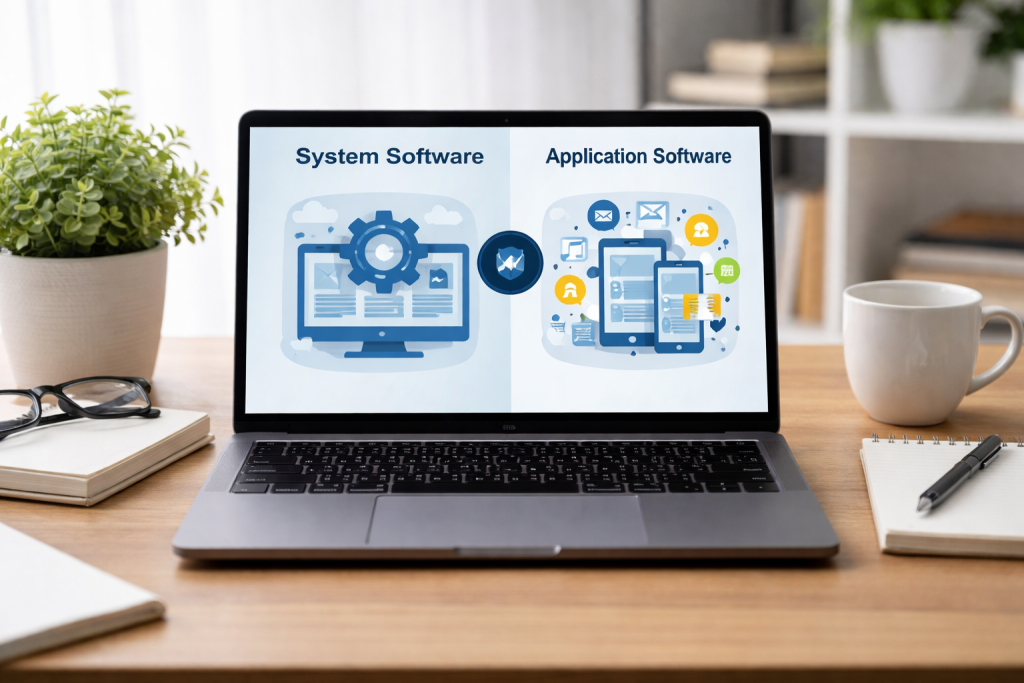
System software and application software represent different layers of abstraction in a computer system. Think of a computer as a house. The system software is like the foundation, the walls, the plumbing, and the electrical wiring—the essential infrastructure that makes the house habitable and functional. Without these, the house is just an empty shell. Application software, on the other hand, is like the furniture, the appliances, and the decorative items within the house. These are the things you use to live, to cook, to relax, and to entertain yourself. They enable you to do things within the functional structure provided by the system software.
The Core Distinction
The primary difference lies in their purpose. System software’s main goal is to manage the computer’s hardware resources and provide a platform for other software to run. It acts as an intermediary between the hardware and the user or application software. Application software, conversely, is designed to perform specific tasks for the end-user. These tasks can range from writing a document to browsing the internet, playing a game, or editing a photo.
Examples to Clarify
Consider your operating system, such as Windows, macOS, or Linux. This is a prime example of system software. It handles tasks like managing memory, controlling input and output devices, and running other programs. When you launch a word processor like Microsoft Word or a web browser like Chrome, these are examples of application software. They leverage the services provided by the operating system to perform their intended functions.
People often overlook system software in the realm of computing. It provides the foundational environment that makes everything else possible. Without it, your computer would be an inert collection of electronic components.
Operating System: The Brain of the Machine
The operating system (OS) is the most crucial piece of system software. It’s the central controller, directing the flow of information and managing all the computer’s resources. The OS allocates processing power, manages storage, and facilitates communication between different hardware components and software programs. It presents a user interface, allowing you to interact with the computer, whether it’s through a graphical interface with icons and windows or a command-line interface.
Utility Software: Maintaining the Infrastructure
Utility software is another category of system software. These programs are designed to help manage, maintain, and optimize the computer system. Examples include antivirus software, disk cleanup tools, file compression utilities, and backup software. They perform housekeeping tasks, ensuring the smooth and efficient operation of the computer by addressing potential issues and improving performance.
Device Drivers: Translating Languages
Device drivers are specialized pieces of system software that act as translators. They enable the operating system to communicate with specific hardware devices, such as printers, graphics cards, or network adapters. Each hardware device has its own unique way of communicating, and the driver translates these instructions into a language the operating system can understand, and vice versa.
Application software is what makes computers useful and versatile for individuals and organizations. The end-user guides the design of these programs, offering tools to cater to a diverse range of needs.
Productivity Software: Enhancing Efficiency
Productivity software encompasses applications that help users perform tasks related to work, study, and personal organization. This includes word processors for creating documents, spreadsheets for data analysis and calculations, presentation software for creating slideshows, and email clients for communication. These tools streamline processes and allow for the creation and manipulation of information.
Entertainment Software: Leisure and Engagement
The entertainment sector heavily relies on application software. Video games, media players, and streaming applications fall into this category. Users can relax, socialize, and experience digital content through these programs designed to provide enjoyment and engagement.
Communication and Collaboration Software: Connecting People
In today’s interconnected world, communication and collaboration software are essential. This includes web browsers for accessing the internet, instant messaging applications for real-time conversations, video conferencing tools for remote meetings, and social media platforms for connecting with others. These applications facilitate interaction and the sharing of information across distances.
Specialized Software: Niche Solutions
Beyond these broad categories, there is a vast array of specialized application software designed for specific industries or tasks. This could include graphic design software for artists, CAD (Computer-Aided Design) software for engineers, accounting software for businesses, or medical diagnostic software for healthcare professionals. These applications offer advanced features tailored to niche requirements.
The interplay between system software and application software is a testament to organized design. They are not independent entities but rather components of a carefully constructed hierarchy that allows for complex operations.
A Layered Approach
System software forms the lower layers, directly interacting with the hardware. The operating system abstracts the complexities of the hardware, presenting a more manageable interface to the application software. Application software, in turn, runs on top of the operating system, utilizing the resources and services provided by it. This layered approach simplifies development, as application developers don’t need to worry about the specifics of each hardware component.
Resource Management and Access
When you use an application, it requests resources from the operating system. For example, if you save a document, the word processor (application software) asks the OS to allocate disk space and write the file. The OS then interacts with the file system and the storage hardware to fulfill this request. Similarly, if an application needs to display graphics, the OS communicates with the graphics card driver to render the visuals on the screen.
The Importance of the Bridge
System software acts as the bridge, ensuring that application software can effectively utilize the underlying hardware without needing direct knowledge of its intricacies. This abstraction is fundamental to the modularity and flexibility of modern computing systems. A new application can be developed and run on various operating systems without requiring significant modifications, as long as it adheres to the OS’s programming interfaces.
Selecting appropriate software is crucial for maximizing efficiency, productivity, and enjoyment. Both system and application software choices have serious consequences.
System Software Considerations
For system software, the primary choice is typically the operating system. This decision is often influenced by the hardware you are using, your familiarity with a particular interface, and the types of application software you intend to run. Some operating systems are better suited for specific tasks or hardware configurations. For instance, certain professional creative applications may require macOS, while gaming enthusiasts might prefer Windows due to broader game compatibility.
Application Software Selection Criteria
When choosing application software, users should consider their specific requirements. Could you please clarify the problem you are aiming to address? What features are essential for your workflow? It’s also important to consider compatibility with your existing operating system and other software. Factors like ease of use, learning curve, cost, and available support are also vital. Reading reviews, comparing features, and even trying out trial versions can help in making an informed decision.
Balancing Functionality and Simplicity
Often, there are multiple software options for a given task, ranging from basic, user-friendly applications to more complex, feature-rich professional tools. The ideal choice depends on the user’s skill level and the demands of the task. A student writing essays might find a simple word processor sufficient, while a professional writer preparing a novel might opt for a more advanced writing application with features for manuscript organization and editing.
Software updates are not merely minor enhancements; they are critical for security, performance, and functionality. Both system and application software benefit significantly from regular updates.
Security Patches: Closing Vulnerabilities
One of the most important reasons for updating is security. Regularly, researchers discover new software vulnerabilities. Malicious actors can exploit these flaws to gain unauthorized access to systems, steal data, or disrupt operations. Software developers release updates that contain security patches to fix these vulnerabilities. Failing to apply these updates leaves your system exposed. Think of them as reinforcing the locks on your house after a known weakness has been identified.
Performance Improvements: Smoother Operation
Updates often include optimizations that can improve the speed, responsiveness, and overall performance of your software. Developers may refine algorithms, fix bugs that cause slowdowns, or improve how the software interacts with hardware resources. The result can lead to a more fluid and efficient user experience.
New Features and Compatibility: Staying Current
Software updates can also introduce new features and capabilities, expanding the functionality of your programs. Furthermore, as hardware and other software evolve, updates ensure that your existing software remains compatible with newer technologies. Without updates, older software might eventually struggle to work with newer operating systems or hardware components.
The Future of System and Application Software: Trends and Developments
The landscape of system and application software is in constant evolution. Several trends are shaping its future, leading to more intelligent, integrated, and accessible computing experiences.
Artificial Intelligence and Machine Learning Integration
Both system and application software are increasingly integrating artificial intelligence (AI) and machine learning (ML). This can lead to smarter operating systems that can automate tasks and predict user needs, and application software that offers more personalized experiences, advanced analytical capabilities, and intelligent assistance. Think of AI as an intelligent assistant learning your habits to make your digital life easier.
Cloud Computing and SaaS
The rise of cloud computing and Software as a Service (SaaS) models continues to transform how we access and use software. The internet increasingly hosts applications remotely, making them accessible from any device. This offers greater flexibility, scalability, and often, simpler management. System software is also evolving to manage cloud-based resources more effectively.
Enhanced User Interfaces and Experiences
There is a continuous drive toward more intuitive, accessible, and engaging user interfaces. This includes advancements in voice control, gesture recognition, and augmented reality (AR) interfaces. The goal is to make interacting with technology more natural and seamless, bridging the gap between human intention and digital execution.
Cross-Platform Development and Interoperability
As devices and platforms proliferate, the demand for software that can run seamlessly across different operating systems and hardware is growing. Developers are focusing on cross-platform development frameworks and improving interoperability between different software applications, aiming to create a more unified and connected digital ecosystem.
FAQs
1. What is the difference between system software and application software?
System software is responsible for managing the computer’s resources and providing a platform for application software to run. It includes operating systems, device drivers, and utility programs. Application software, on the other hand, is designed to perform specific tasks for the user, such as word processing, spreadsheet management, or graphic design.
2. How do system software and application software work together?
System software provides the necessary environment for application software to function. It manages hardware resources, provides a user interface, and ensures security and stability. Application software utilizes the platform provided by system software to perform tasks and deliver specific functionalities to the user.
3. Why is it important to keep software updated?
Keeping software updated is crucial for security, performance, and compatibility reasons. Updates often include patches for security vulnerabilities, improvements in performance, and compatibility with new hardware or software. Neglecting to update software can leave systems vulnerable to security threats and may result in decreased performance.
4. How do I choose the right software for my needs?
When choosing software, consider the specific tasks you need to accomplish and the features required to do so. Evaluate the compatibility of the software with your operating system and hardware, as well as the reputation of the software developer. Additionally, consider the level of support and updates provided for the software.
5. What are the future trends and developments in system and application software?
Advancements in artificial intelligence, cloud computing, and the Internet of Things are likely to influence the future of system and application software. This may lead to more intelligent and interconnected systems, as well as an increased focus on security and privacy. Additionally, there may be a shift toward more user-friendly and intuitive interfaces for both systems and application software.